How the duplicate check works
Kasklaar checks twice whether an invoice is already known, warns but does not block, and only looks within the administration
An invoice that arrives twice must not be booked twice. Kasklaar therefore checks twice whether a document is already known: when it arrives in the Inbox, and as the last step but one of processing into a booking proposal. A hit becomes a warning, not a block; you decide.
What Kasklaar compares
On arrival in the Inbox, Kasklaar looks at three things: whether exactly the same file was delivered before, whether the invoice number plus the supplier already exists, and for receipts whether the same supplier already sent something with the same amount in the two weeks before. That last one catches the receipt you get for a payment whose invoice is already in.
During processing into a booking proposal, Kasklaar looks again, but only at invoice number plus supplier and at the receipt key, not at the file. Small differences in the number count: "F2024/001" and "F2024-001" count as the same number; "2024-001" and "2024-002" do not.
It searches the Inbox, pending booking proposals, what is already booked in your accounting package, also outside Kasklaar, and the document archive. Only within the same administration: an invoice that sits in another administration of your company is not seen.
Why does the file not count when uploading?
Whoever uploads an invoice themselves under Purchase invoices does so deliberately. Kasklaar relies on the invoice number there. If you forward invoices by email, the Inbox does recognise the same file, even when the number is unreadable.
What you see in the Inbox
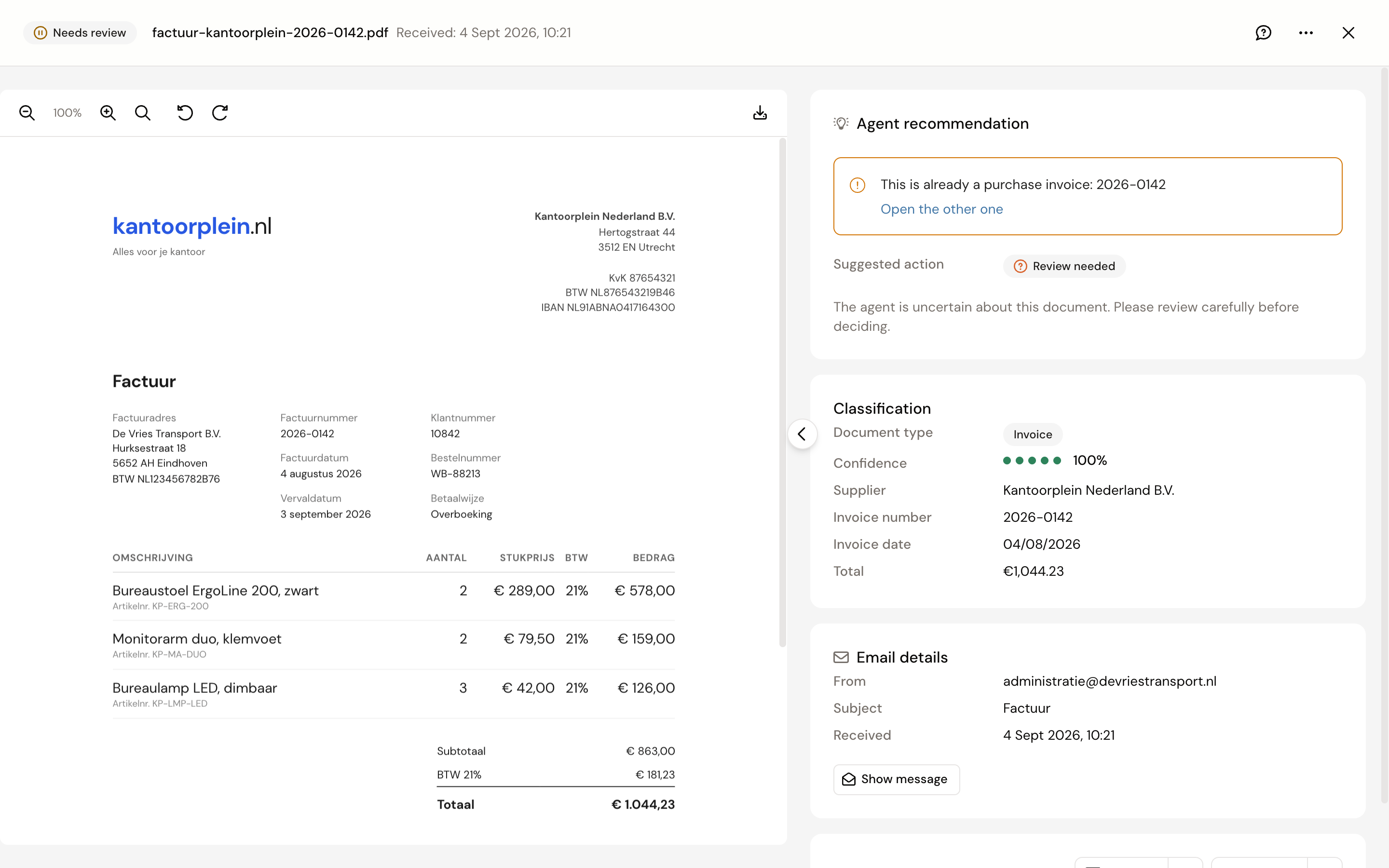
The document gets the recommendation Review needed with an amber notice: "This document is already in your Inbox", "This is already a purchase invoice", "This is already booked" or "This document is already in your vault", with a link Open the other one where one exists. Sender rules are not applied to that document; it waits for you.
What you see on the booking proposal
At the top sits the warning Possible duplicate, with the candidates: invoice number, date, amount, status (In progress or Booked) and the match percentage.

What you do
The warning does not stop approval. If it really is the same invoice, reject the new proposal, or ignore the document in the Inbox. If it is a different invoice with a similar number, click the thumbs-up to resolve the warning and carry on. There is no "replace the old one" button: the old one stays.
Frequently asked questions
A credit note with the same number as the invoice is reported as a duplicate. Correct; Kasklaar does not look at the document type. Resolve the warning with the thumbs-up.
Two weekly invoices with the same amount, no notice. The amount check only applies to receipts. Invoices are compared by number.
I accidentally uploaded the same file twice. With the same invoice number you get the warning on the second proposal. Reject that one.
Your agents got it wrong. Tell us, every time. Click the speech bubble at the top right of the invoice, Give feedback, and describe what went wrong; we look at it and use it to improve processing. Correct the invoice yourself as well, so it is right straight away.