Connect Exact Online
Link your administration to Exact Online, so approved invoices are posted automatically
With a connection, Kasklaar posts every approved purchase invoice to your accounting system, and pulls your GL accounts, VAT codes and suppliers from it. At the moment that works with Exact Online.
Where to find it
Open Settings, Administration, Connection.
Connecting
You need your Exact Online login and the administration in Exact that belongs to this Kasklaar administration.
- Click Connect to Exact Online. A window from Exact Online opens where you log in and give Kasklaar access. If no window appears, your browser is blocking pop-ups; allow them and try again. After logging in it says Connection successful. Close the window.
- Click Next and under Administration choose the administration in Exact Online you want to connect.
- Check the settings. Kasklaar prefills the Journal purchase invoices are posted to with what it finds in Exact. Under Exact Online licence, pick the licence you have; that sets how much Kasklaar may exchange per day. The GL accounts and the VAT codes for reverse-charged VAT are not in this wizard; check them after connecting under Settings, Administration, Details, see Administration details.
- Click Save & finish.
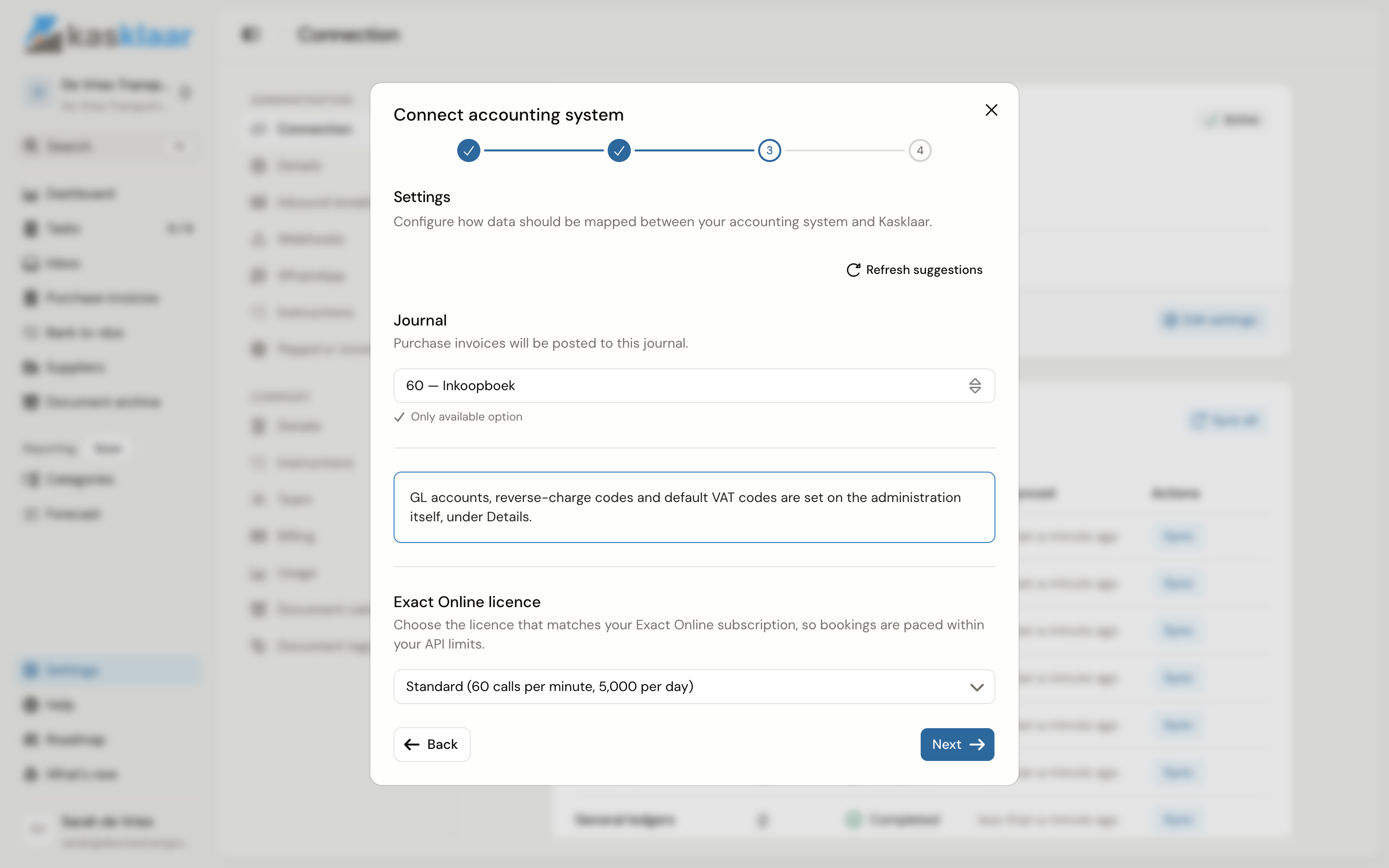
It then says Connection complete! and Kasklaar starts pulling your data in the background. That can take a while for a large administration; you do not have to wait for it.
What you see when it works
At the top of the page is a card with Exact Online, the account name, the status Active, the connected Division, the Purchase journal and the last sync. Edit settings reopens the steps above.
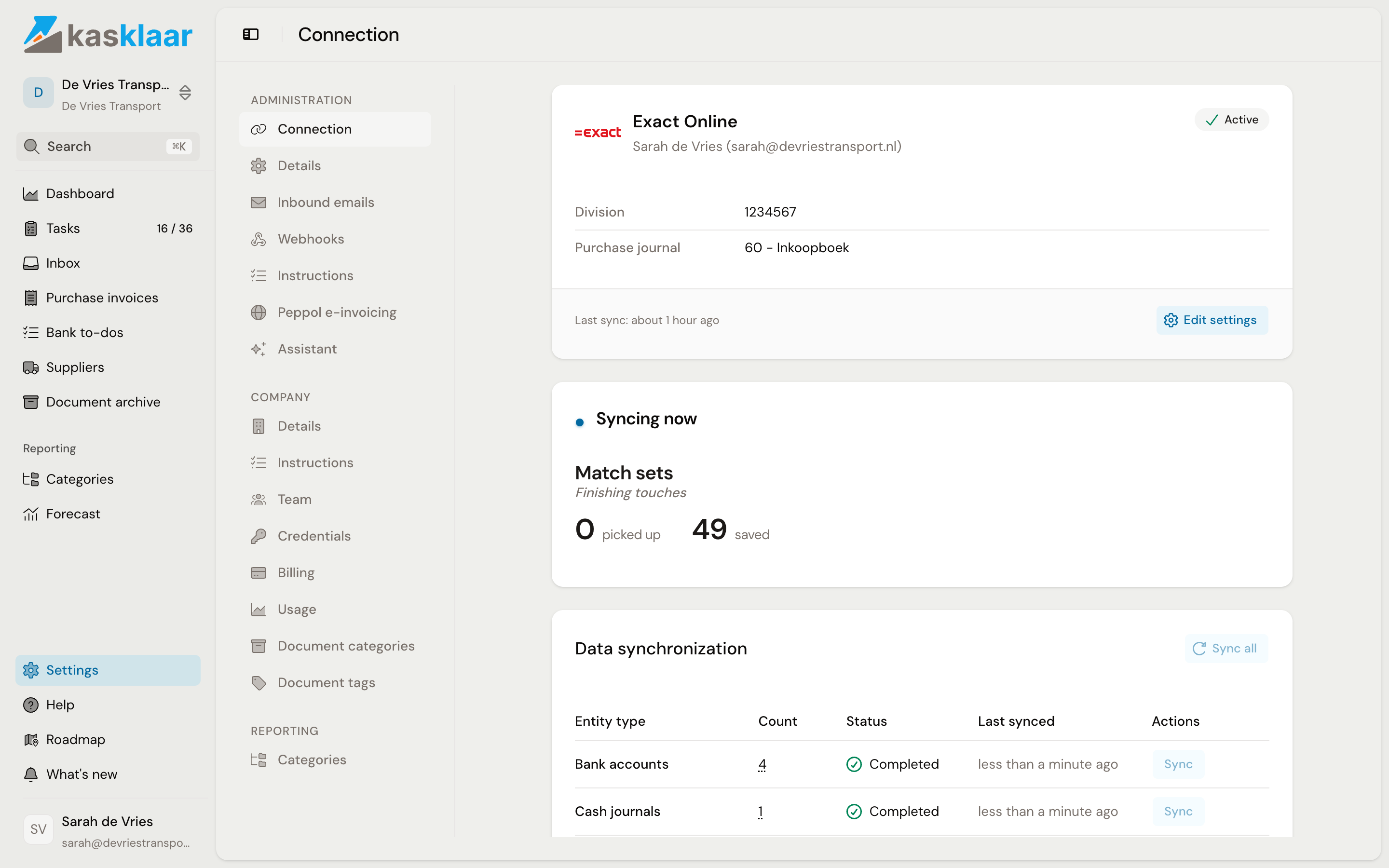
Below the card is Data synchronization: per kind of data, such as GL accounts, VAT codes and bank accounts, how many were pulled and when. If something in Kasklaar does not match what you just changed in Exact, click Sync on that kind, or Sync all.
Disconnecting
At the bottom of the page, under Danger zone, is Disconnect. Kasklaar asks for confirmation. What was already pulled stays, but nothing is posted or pulled any more. You can reconnect at any time, with the same steps as above.
Common questions
What goes to Exact Online when I approve an invoice? The supplier, the invoice number, the invoice date and due date, the description, and per line the amount, the GL account, the VAT code and the cost centre or cost unit if you use them. For an invoice in another currency, the amount in that currency and the exchange rate go along. The PDF of the invoice is attached to the entry. The payment Kasklaar matched does not go along; reconciling happens in Exact.
The top of the screen says "Reconnect your accounting system". What now? The access you gave Exact Online has expired or been revoked. Go to Connection, click the connection with the status Expired and log in to Exact again. Invoices approved in the meantime are posted afterwards.
The top of the screen says "Sync issue". The last pull from Exact failed. Click Connection and then Sync all. If it keeps failing, the reason is in the Data synchronization table on the kind that is red.
An approved invoice does not reach Completed. Look at the Failed tab of Purchase invoices; it shows what Exact Online refused. What to do is in When an invoice does not come through. If the invoice sits on Needs attention with a notice that the Exact daily limit was reached, you do not have to do anything: Kasklaar retries by itself.
Who can connect and disconnect? Anyone with access to the administration.
Can I connect another accounting system? Not now. Kasklaar currently works with Exact Online only.
See also
- Enable Peppol e-invoicing
- Review and approve a purchase invoice, for what happens after approving.