Your first day: the checklist
What your dashboard shows after connecting, which tasks you tick off and where each task takes you
After connecting, your dashboard shows a checklist with eight tasks. They get Kasklaar ready for daily work: your company details, your instructions, your team and the first documents. Once they are done, the dashboard becomes your overview of cash, expenses and what needs attention.
The tour
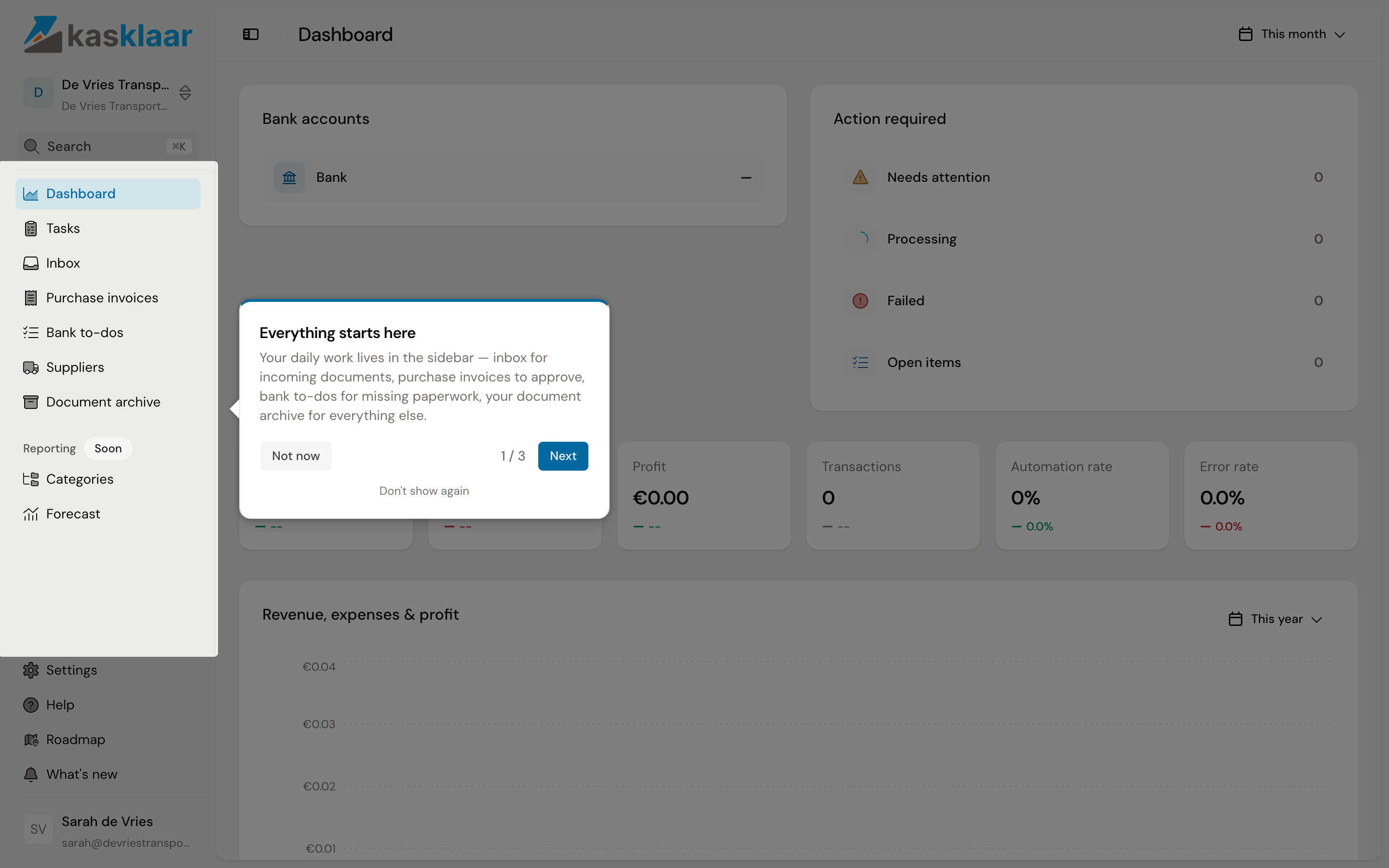
The first time, Kasklaar points out the sidebar, the company switcher at the top left and your account at the bottom left, in three steps. Click Next to continue, Not now to see it later, or Don't show again. After that comes one step about the checklist itself.
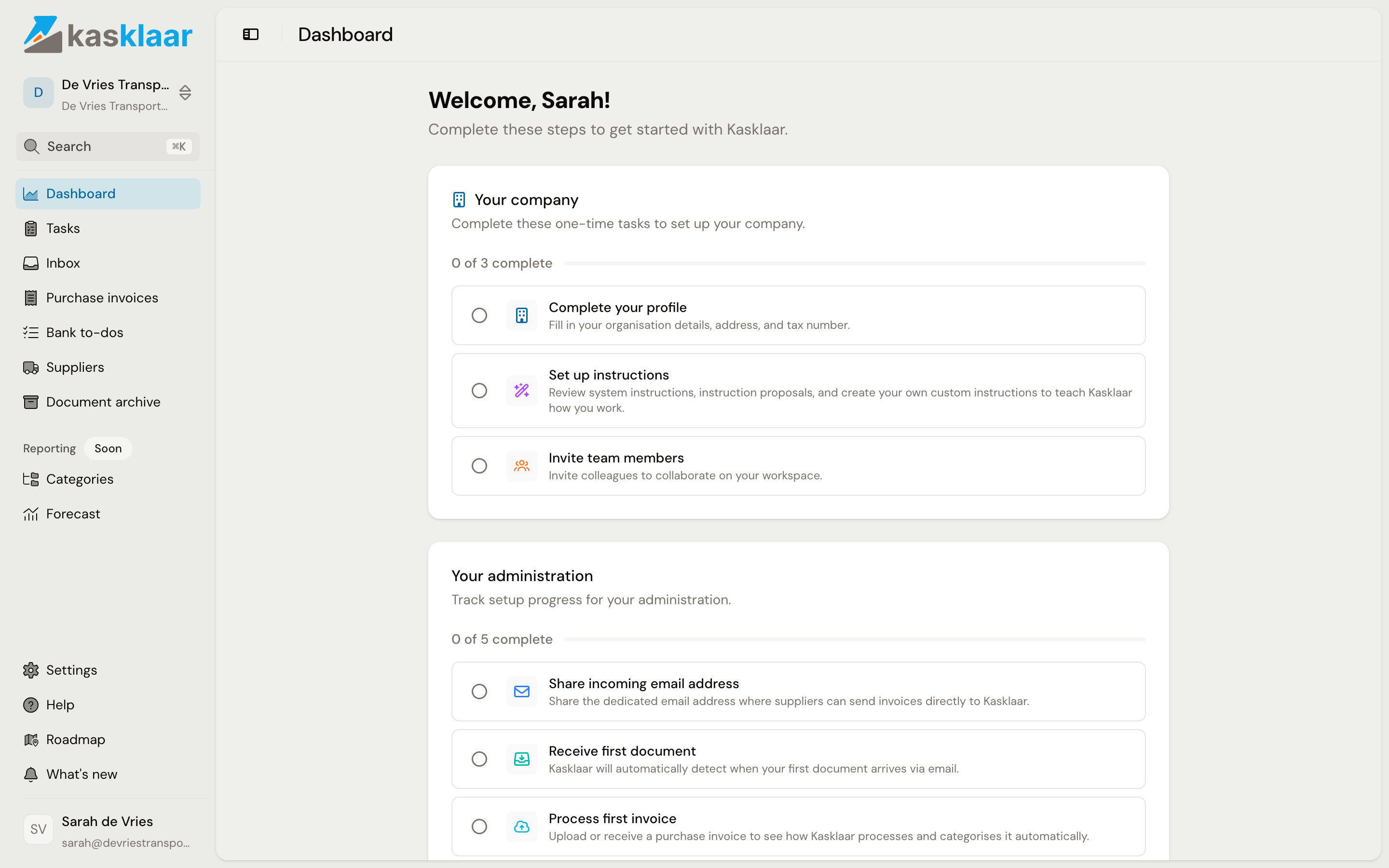
Your company
Three one-time tasks. Click a task to go to the screen.
- Complete your profile: company details, address and VAT number under Settings, Company, Details.
- Set up instructions: review the system instructions and create your own, so your agents book the way you want. See Instructions.
- Invite team members: invite colleagues under Settings, Company, Team.
Your administration
Five tasks per administration. Kasklaar ticks two of them off by itself.
- Share incoming email address: the address where suppliers and you send invoices. See Forward documents to your Kasklaar address. Click Mark as done once you have passed the address on.
- Receive first document: turns green by itself as soon as something arrives by email.
- Process first invoice: upload or receive a purchase invoice and approve the booking proposal. See Add a purchase invoice.
- Archive first document: turns green by itself as soon as a contract or other document is in the Document archive.
- Review instructions per administration: under Settings, Administration, Instructions you switch off system instructions or add overrides for this administration. Then click Mark as done.
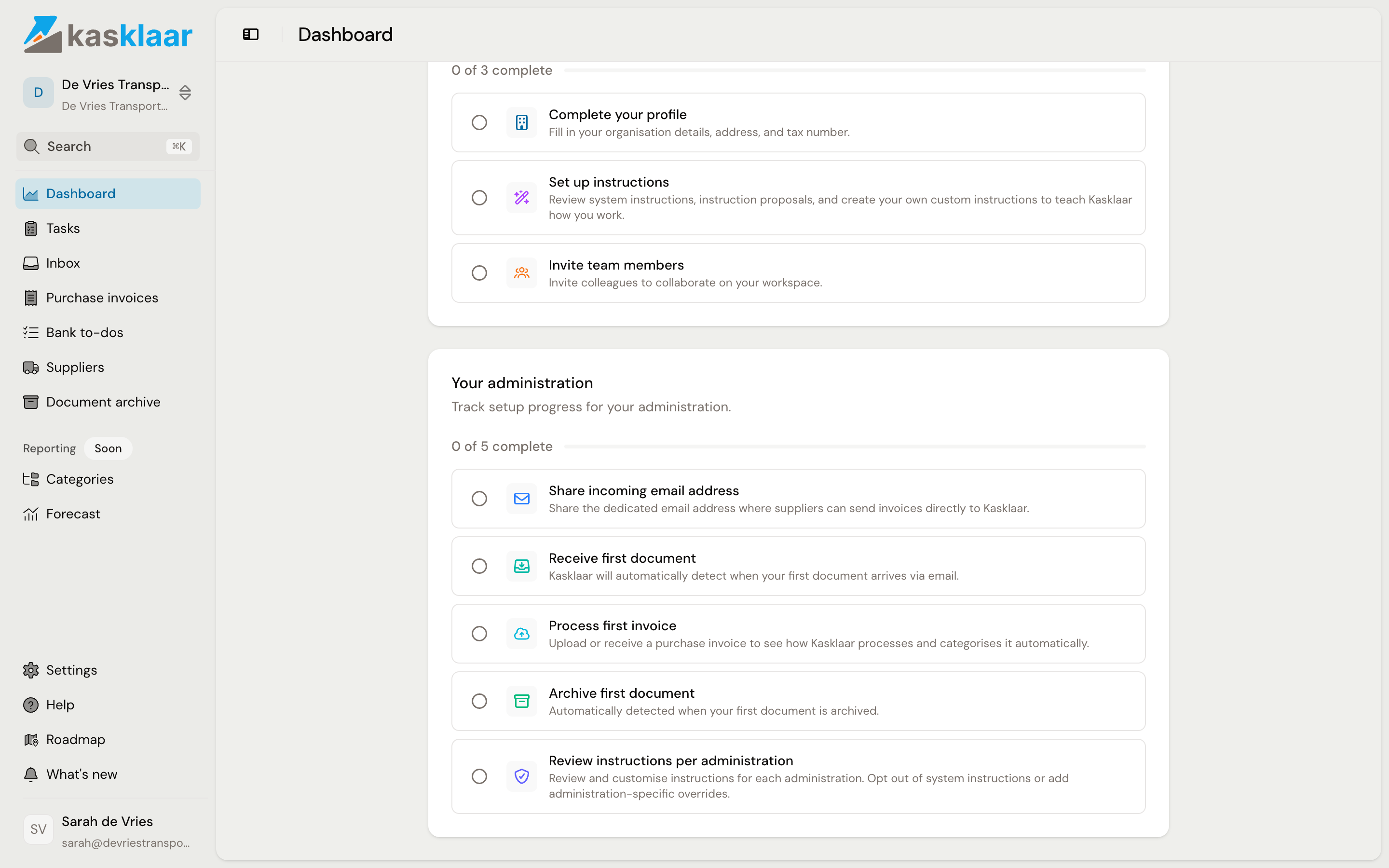
A task that does not apply to you, you remove with Close behind the task; the counter then no longer counts it.
Frequently asked questions
Where did the checklist go? As soon as every task is done or closed, the dashboard shows the overview: bank accounts, what needs attention, revenue, expenses and profit.
I clicked the tour away. With Not now it comes back after an hour. With Don't show again it does not; the three steps are above.
Can I see the checklist for a second administration too? Yes. Switch administration at the top left; the tasks under Your administration apply per administration, the tasks under Your company once.