Working with your accountant
What your accountant sees and can do in Kasklaar, how to ask a question from an invoice, and how a task moves back and forth between you
If your accountancy firm works with Kasklaar, it works in the same administration as you: the same invoices, the same Inbox, the same tasks. You do not have to email or upload anything for your accountant; you ask a question where it belongs, and the task lands with the firm.
How your accountant gets into your administration
The firm connects your administration itself, from its own Kasklaar environment, and then invites you. You cannot add or unlink a firm yourself yet. If you want your accountant on board, ask Kasklaar via Help; we set up the connection with the firm. The firm does not appear anywhere in your settings: under Settings, Company, Team you only see your own people.
What your accountant sees and can do
The people at the firm have the same access as a colleague: they see all invoices, documents and tasks, and they can approve and book a purchase invoice. If the firm keeps your books, the automatic tasks, such as Purchase invoice pending approval, go to the firm by default instead of to you.
One exception: the document archive. Your accountant only sees a document there if you share it with Shared with accountant. If you ask your accountant a question about such a document, Kasklaar shares it automatically; the screen says so.
Asking a question from an invoice
Open the purchase invoice or Inbox document it is about and click the question mark at the top right, Ask about this. A new task of type Question opens, linked to that document. Under Who is this for? choose My accountant or Anyone at my accountant, type your question and click Create. If the firm keeps your books, your accountant is already preselected.
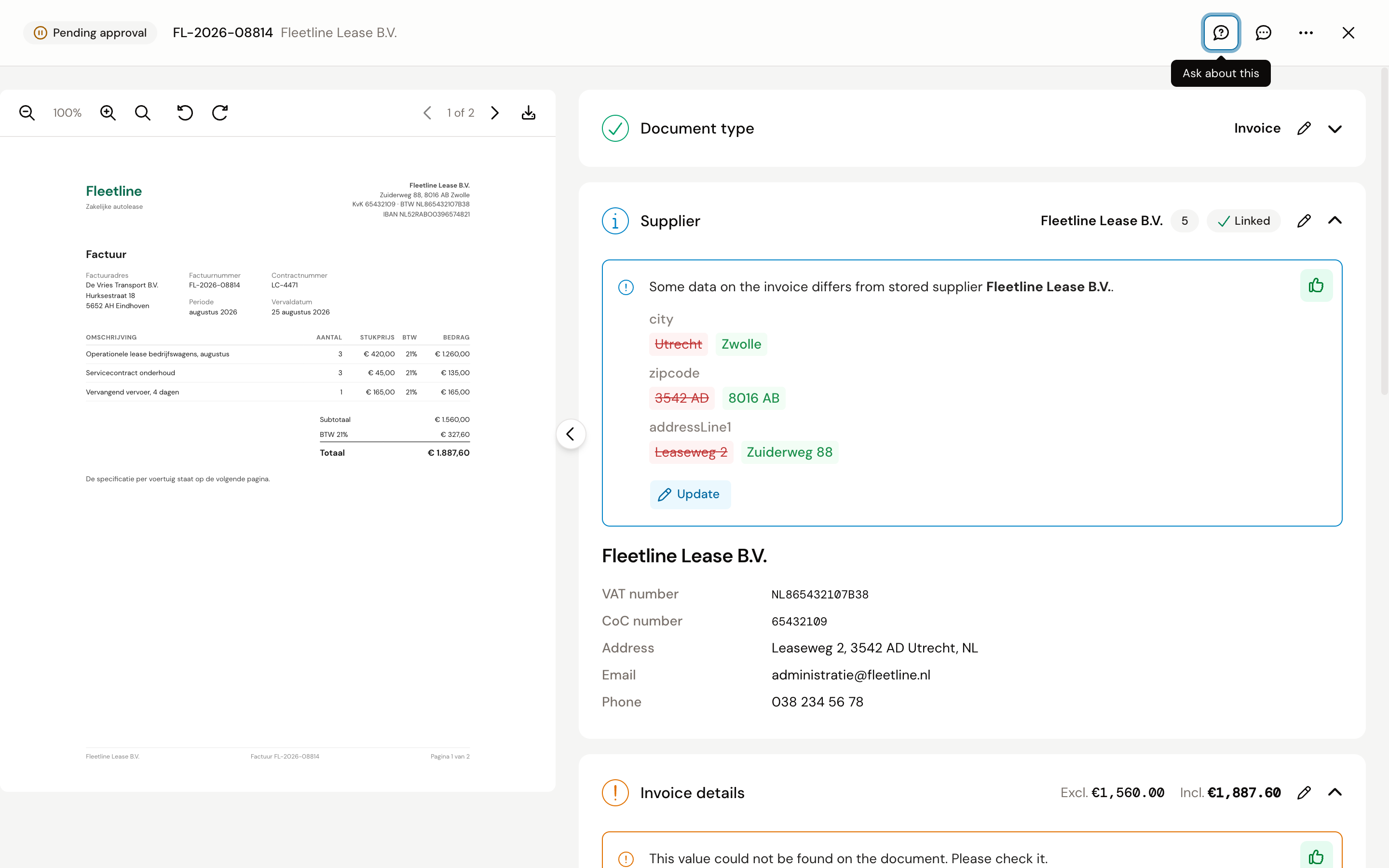
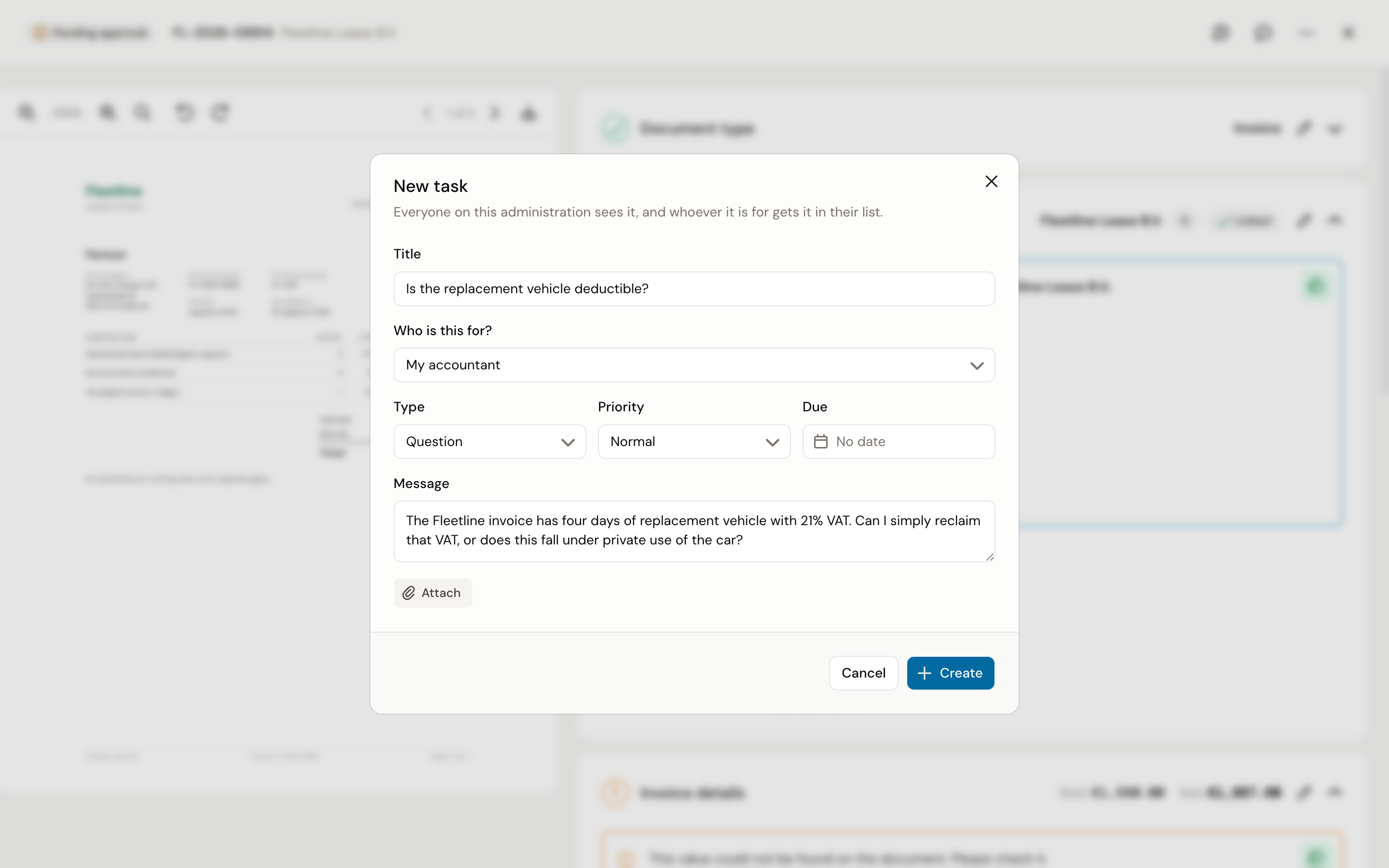
Your accountant opens the task, sees the invoice next to it and answers in the conversation. You find the answer under Tasks; the filter Only questions I asked shows all your questions together.
How a task moves back and forth
A task always sits with one side: your company or your accountant. In your task list, what sits with the firm is under With your accountant. If you write something in a task that sits with you, it moves to the other side; Kasklaar says so beforehand with Responsibility moves to your accountant. If you write in a task that already sits with the firm, it stays there and your message is a reminder.
Kasklaar does not send an email for a new task or an answer, not to the firm either. Everyone sees it in Kasklaar, in the counter in the sidebar and by the bold title.
Frequently asked questions
I do not see My accountant under Who is this for. Then no firm keeps your books in Kasklaar yet. Ask Kasklaar via Help.
Does my accountant see everything? Everything except the document archive; there you decide per document whether to share it.
Can I take the firm's access away? Not yourself, for now. Ask Kasklaar via Help.
What does the speech bubble next to the question mark do? That one is for us, not for your accountant: with Give feedback you tell Kasklaar what could be better about the processing of this document.
See also
- Picking up a task
- Assigning tasks and creating your own
- Saving a document in the document archive, for sharing with your accountant.