Picking up a task
Everything waiting for you is under Tasks; open a task, do what it says and mark it as done
Under Tasks you find everything in Kasklaar that is waiting for someone: an invoice to approve, a document in the Inbox, a booking that failed, or a question from a colleague. Your agents create most tasks themselves and close them again as soon as the work is done.
Where to find it
Open Tasks in the sidebar. The number behind it, for example 6 / 6, is how many tasks are waiting for you and how many are open in total. The list is grouped: Yours for tasks assigned to you, Your company for tasks someone at your company still has to pick up, and With your accountant for what sits with your accountant. For each task you see the title, what it is about and how long ago something happened.
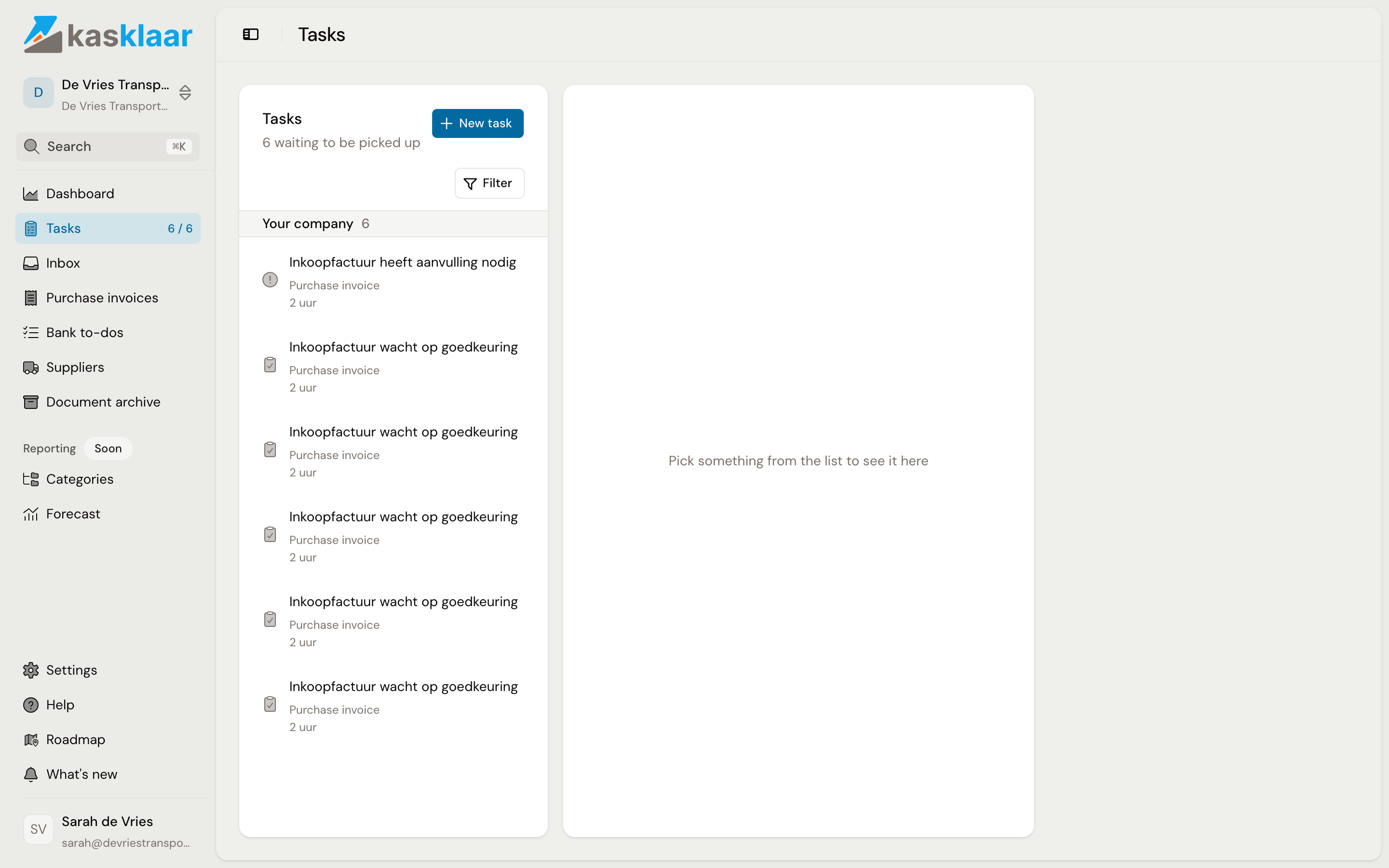
With Filter you narrow the list by who has the task, the type, the priority and what it is about. Postponed and hidden tasks are not in the list by default; tick Also show postponed or Also show hidden to see them.
Which tasks Kasklaar creates itself
Task titles are in the language of the administration, so for a Dutch administration you see the Dutch titles.
| Task | What is going on | Disappears once |
|---|---|---|
| Purchase invoice pending approval (Inkoopfactuur wacht op goedkeuring) | The booking proposal is ready | you approve or reject the invoice |
| Purchase invoice needs input (Inkoopfactuur heeft aanvulling nodig) | Something is missing, such as a supplier or an exchange rate | the input has been supplied |
| Document pending review (Document wacht op beoordeling) | Something is in the Inbox | you process, archive or dismiss the document |
| Purchase invoice failed to book (Boeken van inkoopfactuur mislukt) | Booking to your accounting package went wrong | the invoice has been booked after all |
| Purchase invoice failed to process (Verwerken van inkoopfactuur mislukt) | Your agents could not read the file | the invoice has been processed again |
| Purchase invoice failed to sync (Synchroniseren van inkoopfactuur mislukt) | Fetching from or writing to your accounting package went wrong | the sync has succeeded |
The last three get priority High and therefore sit at the top.
Handling a task
- Click the task. On the right, under Details, you see the status, the priority, the type and who is responsible, with a summary of the invoice or document below.
- Click I'm on it. The task moves under Yours, so colleagues see you are working on it.
- Click Open purchase invoice or Open document and do what needs doing. For an automatic task that is enough: as soon as the invoice is approved or the document reviewed, the task is marked done by itself.
- For a task from a colleague you click Mark as done yourself. By accident? Click Undo in the notification, or Reopen later.
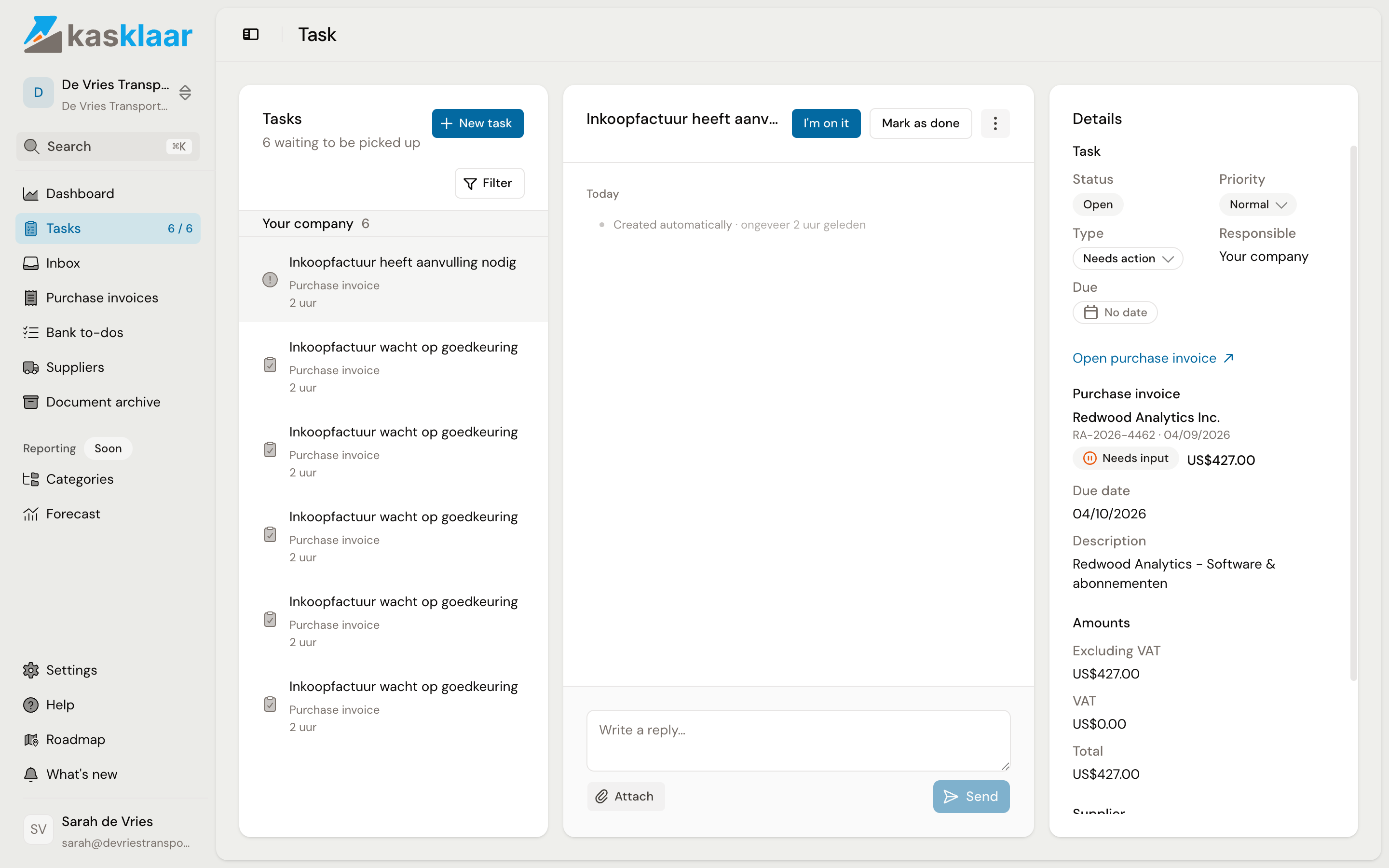
In the middle is the conversation on the task. Type a message, add a file with Attach and click Send; everyone with access to the administration can read along.
Postponing a task or removing it from your list
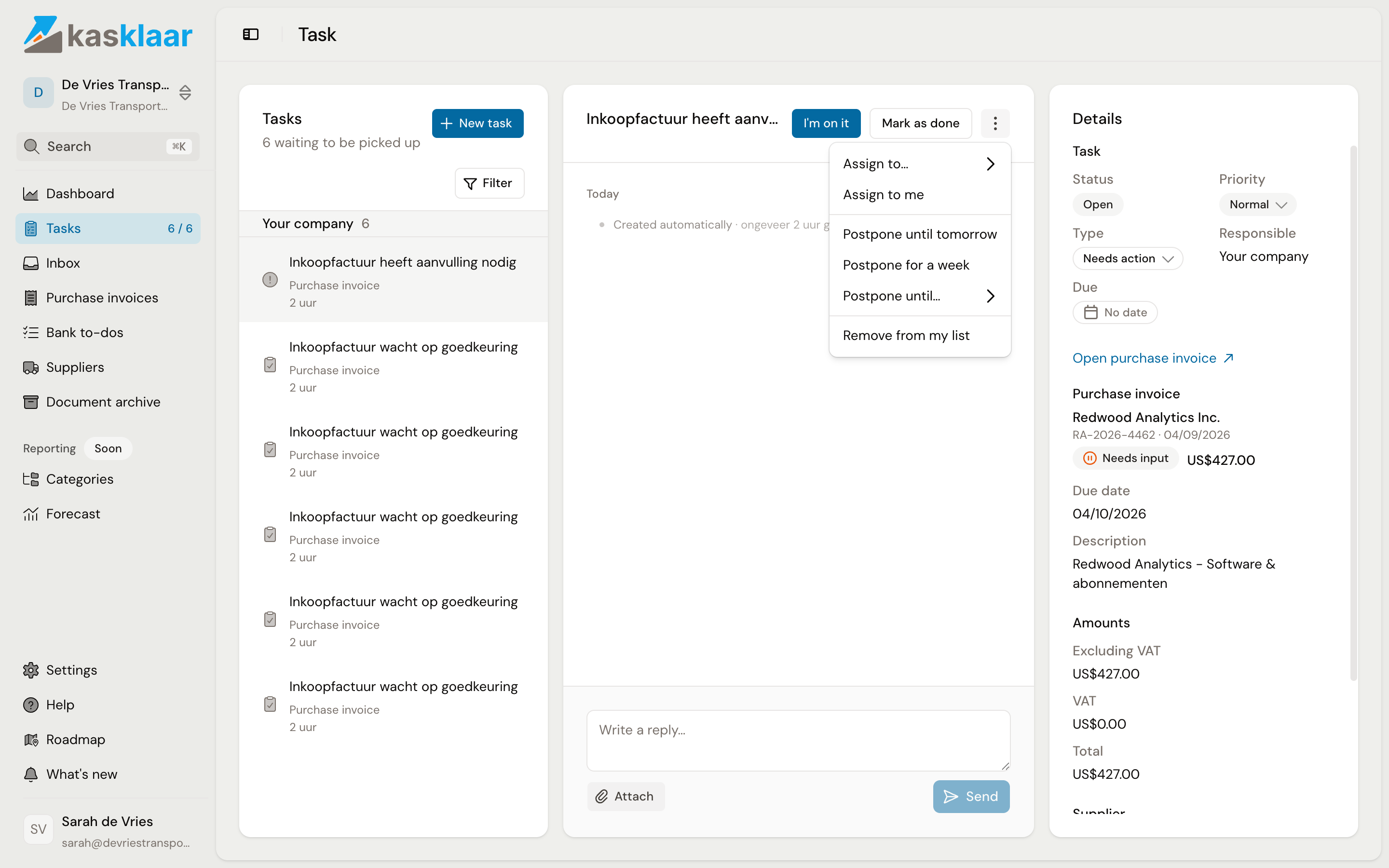
If you cannot do anything with it right now, click the three-dot menu and choose Postpone until tomorrow, Postpone for a week or Postpone until… with a date. The task leaves the list and the counter, and comes back by itself on that day. If a task is not yours, choose Remove from my list; Put back in my list brings it back.
Frequently asked questions
A task says Resolved but not Done. An automatic task in which messages were exchanged stays visible as Resolved afterwards, so the conversation is kept. It no longer counts.
The task refers to something that no longer exists. Then it says "This item no longer exists" instead of the link. Mark the task as done.
Do I get an email when there is a task for me? No. You see tasks in Kasklaar, in the counter in the sidebar and by the bold title in the list.
Can I create a task myself? Yes, with New task; see Assigning tasks and creating your own.