Updating supplier details
Change a supplier's name, numbers, address or contact details, from the list or from an invoice that differs
If a supplier moves, or an old address or wrong number is on file, you change it in Kasklaar. The change goes straight to your accounting package, so both say the same.
Where to find it
Open Suppliers, click the menu behind the supplier and choose Edit supplier. You can change the name, VAT number, CoC number, email, phone and address. Click Save changes.
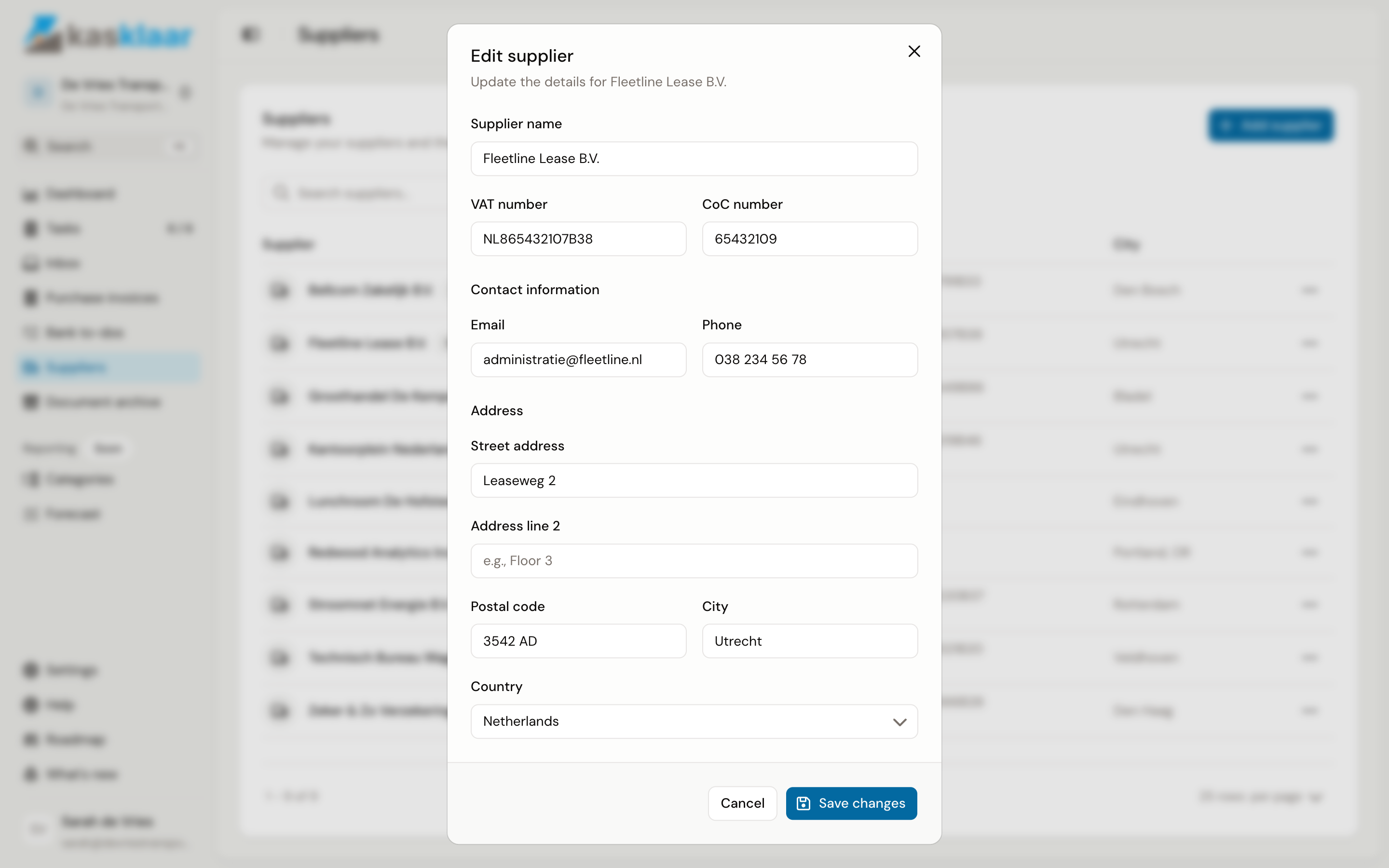
While saving it briefly says Syncing to accounting software...; then Supplier updated!. If syncing fails, nothing is saved in Kasklaar either, so the two never drift apart.
From an invoice
You often notice an outdated detail only on a new invoice. Your agents notice it too: if the invoice shows a different address or number than the linked supplier, the Supplier section shows the notice The invoice differs from what is stored for the supplier, with the old value struck through and the new one next to it for each detail, such as City or VAT number.
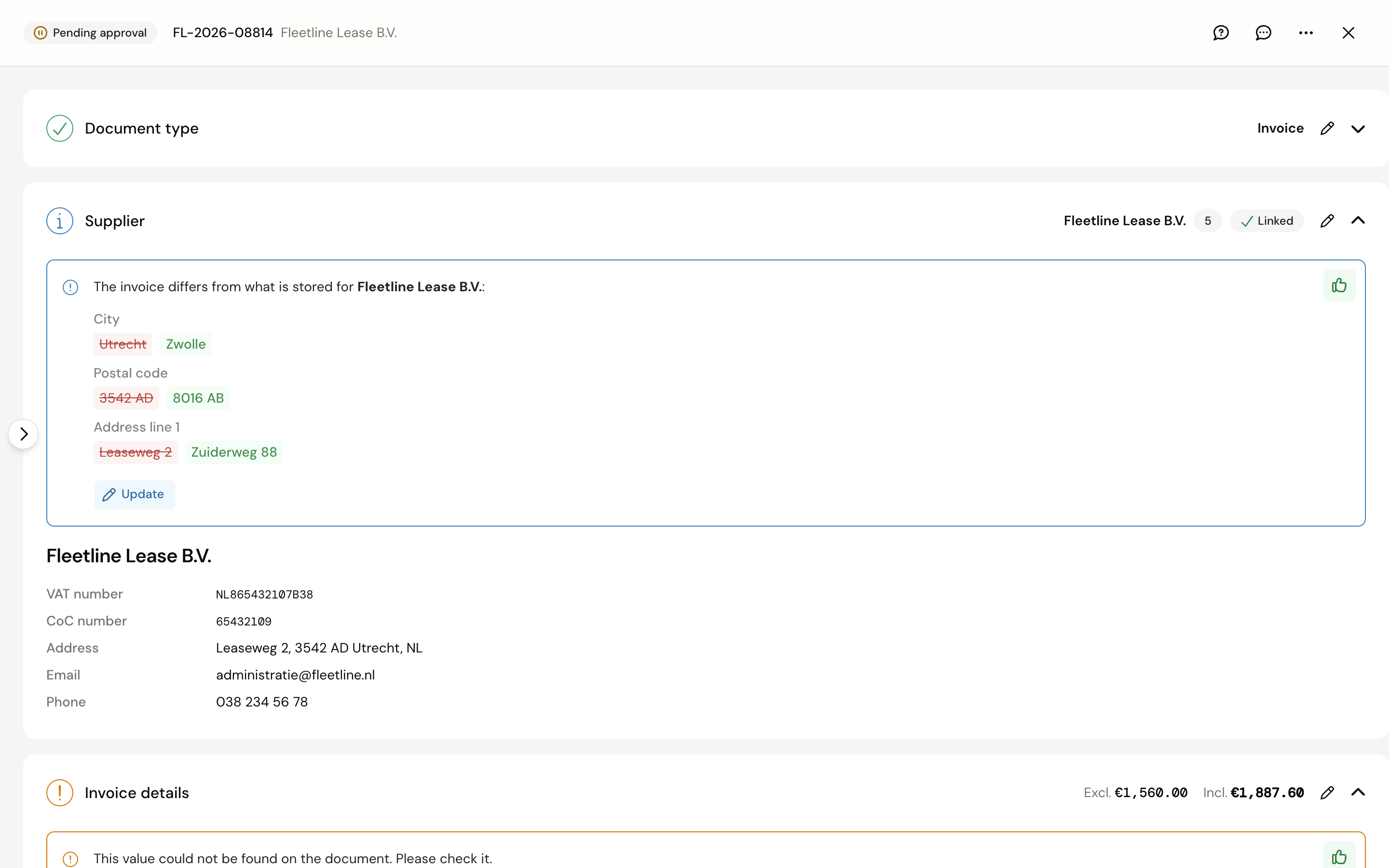
- Update: opens the form with the values from the invoice already filled in. Check them and click Save changes.
- Tick off: click the thumbs up if the invoice is the one that is wrong, for example old letterhead. The supplier stays as it was.
If only the name differs, the notice is called Supplier name differs from the document. That is often a trade name next to the legal name; the link itself is fine.
To change the details without a notice, click Edit in the Supplier section; the form then holds the current details.
Frequently asked questions
Where do I enter the IBAN? Not in Kasklaar. Supplier bank accounts come from your accounting package; add the IBAN there and it shows in the IBAN column after the next sync.
What is the number behind the name? The creditor number from your accounting package. Kasklaar also uses it to recognise a supplier when you name it in the text of a forwarded email; see Forward documents to your Kasklaar address.
Can I delete a supplier? Not in Kasklaar. Delete or block the creditor in your accounting package.
Can I set per supplier how it should be booked? Yes, with an instruction that has the condition Specific supplier; see Instructions.