Linking or creating a supplier
How Kasklaar recognises the supplier on an invoice, and what to do when it is not found
Every purchase invoice belongs to a supplier. Your agents look it up in your supplier list as soon as an invoice comes in; if they find it, the booking proposal says Linked. If they do not, you create it from the invoice in two clicks.
Where to find it
Open Suppliers in the sidebar. For each supplier you see the name with the number from your accounting package behind it, the IBAN, the VAT and CoC number under Fiscal, and the City. Search suppliers... searches by name; Add supplier creates one without an invoice.
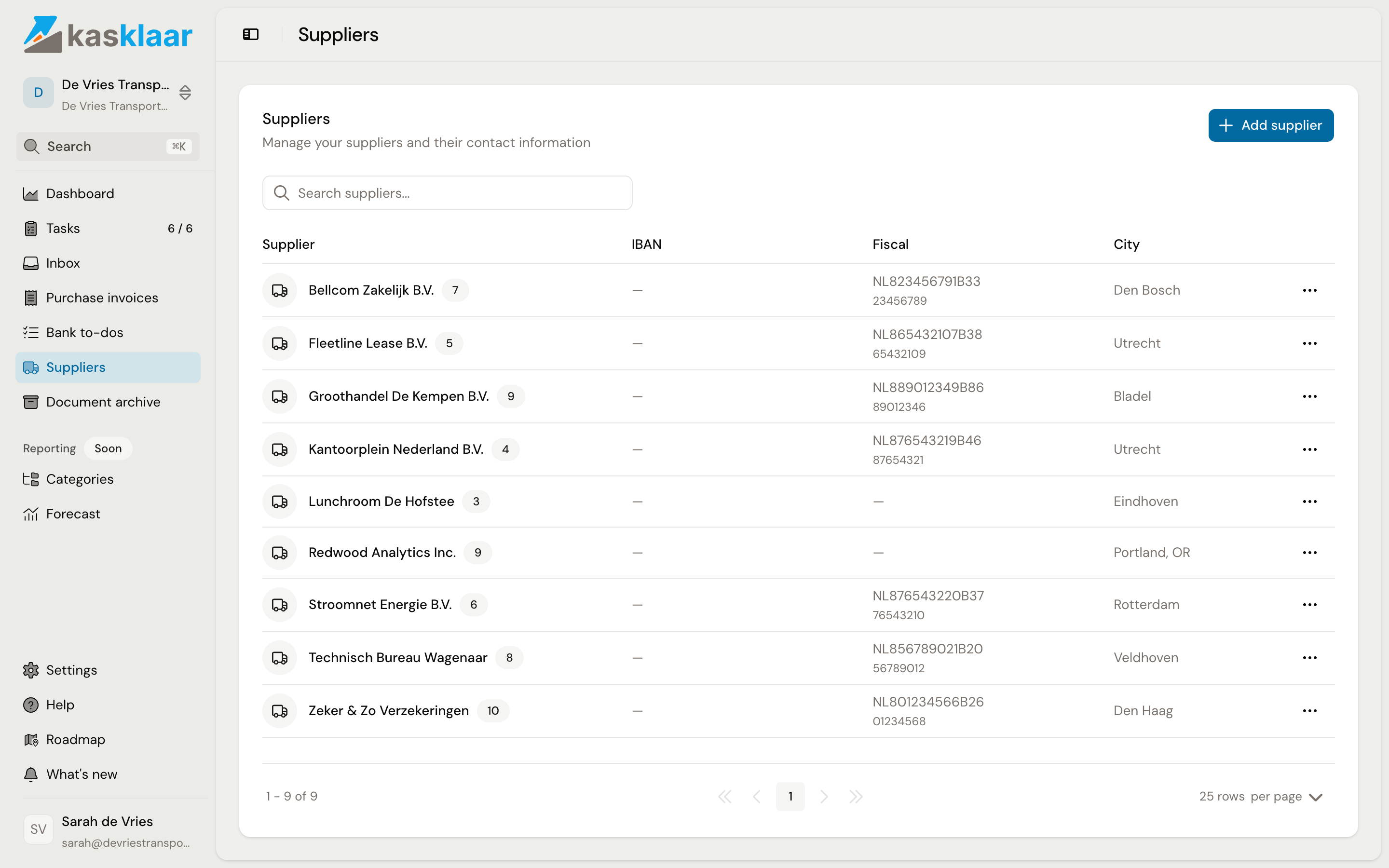
The list comes from your accounting package: every creditor in Exact Online is here too, with the same details and the same number. It works the other way as well: a supplier you create in Kasklaar is a creditor in Exact straight away.
How your agents recognise a supplier
They compare what is on the invoice with your list. The VAT number or CoC number weighs most; then the name. Address, IBAN and email address confirm the match, but do not decide it. If the match is certain, the supplier is at the top of the Supplier section with the badge Linked. If it is uncertain, you get the notice Supplier match is uncertain with the best candidates and the reason, such as matched by name; pick one or search yourself.
When the supplier is not found
Then the Supplier section shows the notice No matching supplier found in your database, with the name and VAT number read from the invoice.
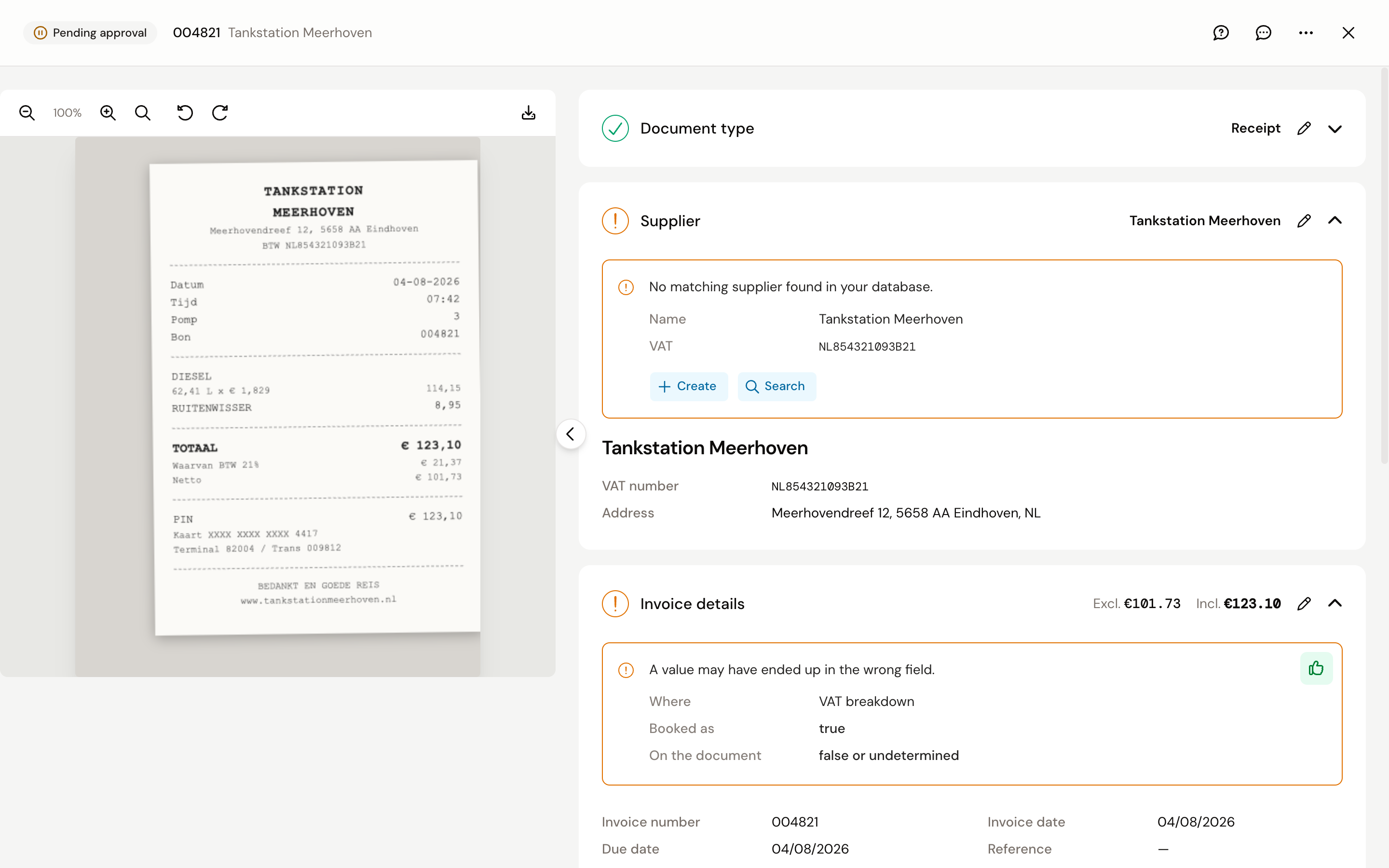
- Create: opens the Add supplier form, prefilled with the name, VAT number and address from the invoice. Complete what you know and click Create supplier. The supplier is created in your accounting package first and then linked to the invoice.
- Search: when the supplier does exist but under a different name. Search by name, VAT or CoC number and pick it from the list.
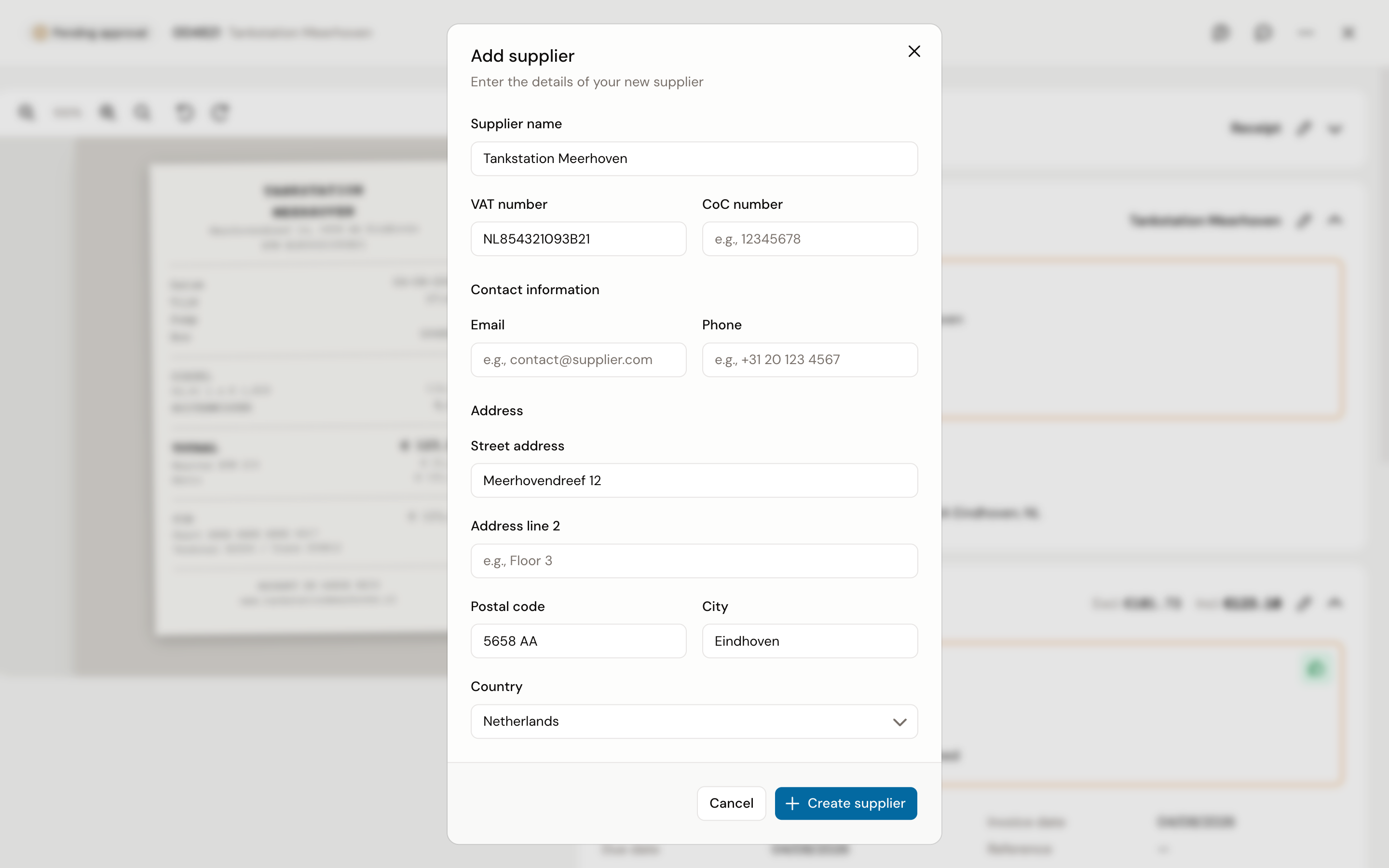
On the next invoice from the same supplier it is known and gets linked by itself.
Adding a supplier in advance
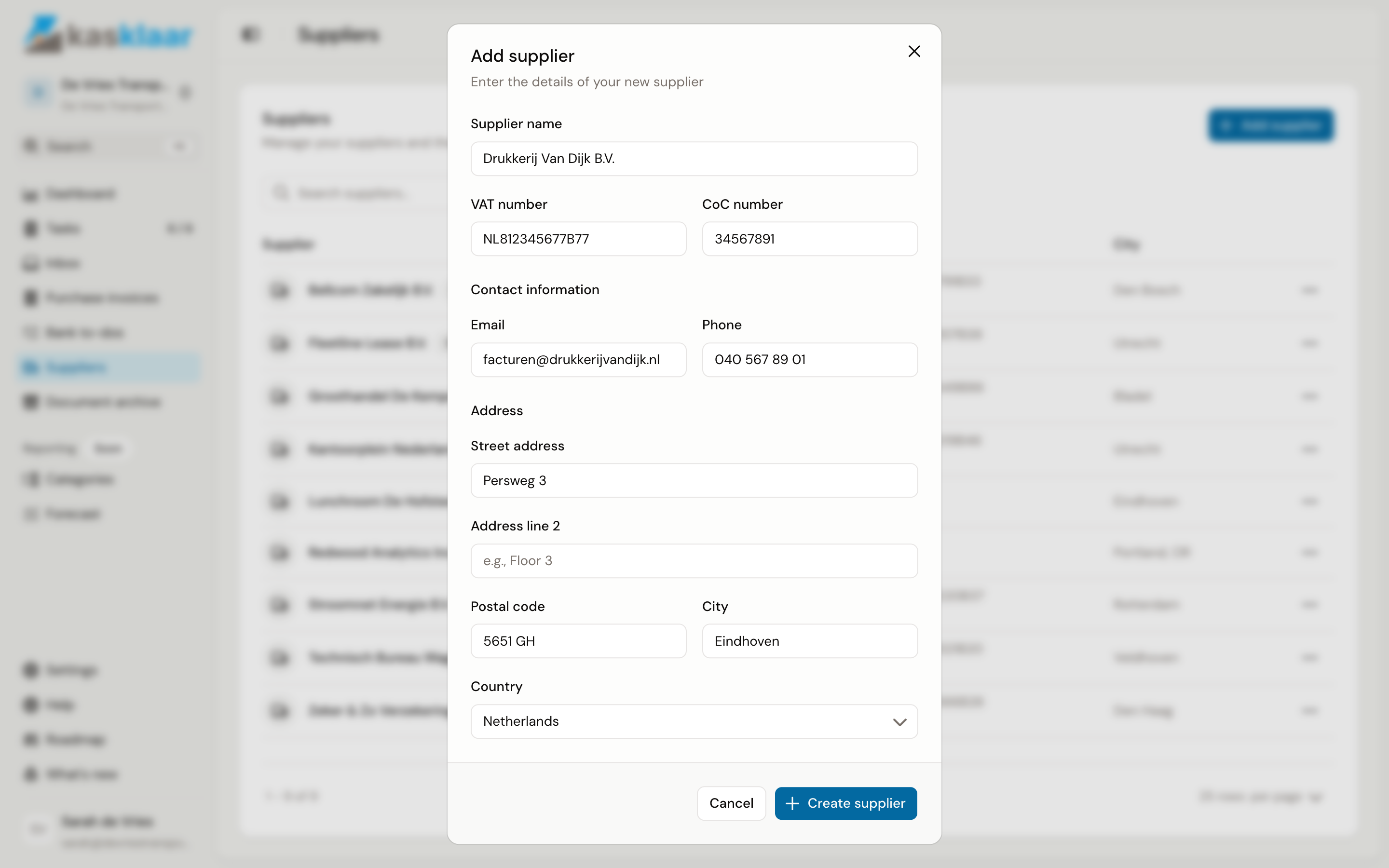
If you want to create a supplier before the first invoice arrives, click Add supplier on the Suppliers page. Only Supplier name is required. Do fill in the VAT number or CoC number if you have it: that is what your agents recognise the first invoice by. You cannot enter an IBAN here; it comes from your accounting package.
Frequently asked questions
The invoice is linked to the wrong supplier. Click Search in the Supplier section and pick the right one. The link applies to this invoice only.
The same supplier appears twice. Merging is not possible, and neither is deleting; the list mirrors your accounting package. Link invoices through Search to the one you want to keep, and clean up the duplicate in your accounting package.
A supplier from my accounting package is missing. Kasklaar fetches new creditors every hour. If you do not want to wait, go to Settings, Administration, Connection and click Sync for suppliers under Data synchronization.
It says the IBAN on the invoice is not valid. Kasklaar checks the account number on the invoice. If it is wrong, it is often a reading error on a scan; check it on the document itself and tick the notice off.
Your agents got it wrong. Tell us, every time. Click the speech bubble at the top right of the invoice, Give feedback, and describe what went wrong; we look at it and use it to improve processing. Correct the invoice yourself as well, so it is right straight away.
See also
- Updating supplier details
- Review and approve a purchase invoice
- Connect Exact Online, for the synchronisation of suppliers.