Linking a payment to a purchase invoice
What your agents do with the bank transactions on a purchase invoice, and how you pick the right payment yourself when they do not find it
For every purchase invoice your agents look for the bank transaction that belongs to it, so that when you approve you also see that it has been paid. If they find it, the payment is under Payment with the badge Matched. If they do not, you pick it yourself.
Where to find it
Open an invoice under Purchase invoices and scroll to the Payment section, below the lines. It shows the linked bank transaction, or a notice why there is none yet.
How your agents recognise a payment
They compare the bank transactions from ten days before to sixty days after the invoice date with the invoice. The invoice number or payment reference in the description weighs most, then the amount, then the IBAN and the supplier's name. A payment in another currency may differ a few percent because of the rate.
If the match is certain, the payment is linked and under Payment you see the date, the amount and the description of the bank transaction. If they are unsure, you get a notice and choose yourself:
- No matching bank transaction found for the invoice amount: nothing has come in yet, or the amount differs. Button Find match.
- Multiple potential bank transactions match this invoice: for example two payments to the same supplier with the same amount. Button Select match.
- A bank transaction was matched with low confidence: the link has been made, but check it. Button Find match to swap it.
- The confirmed payment does not cover the invoice: the amount paid is lower, for example a partial payment or a discount. Button Change match.
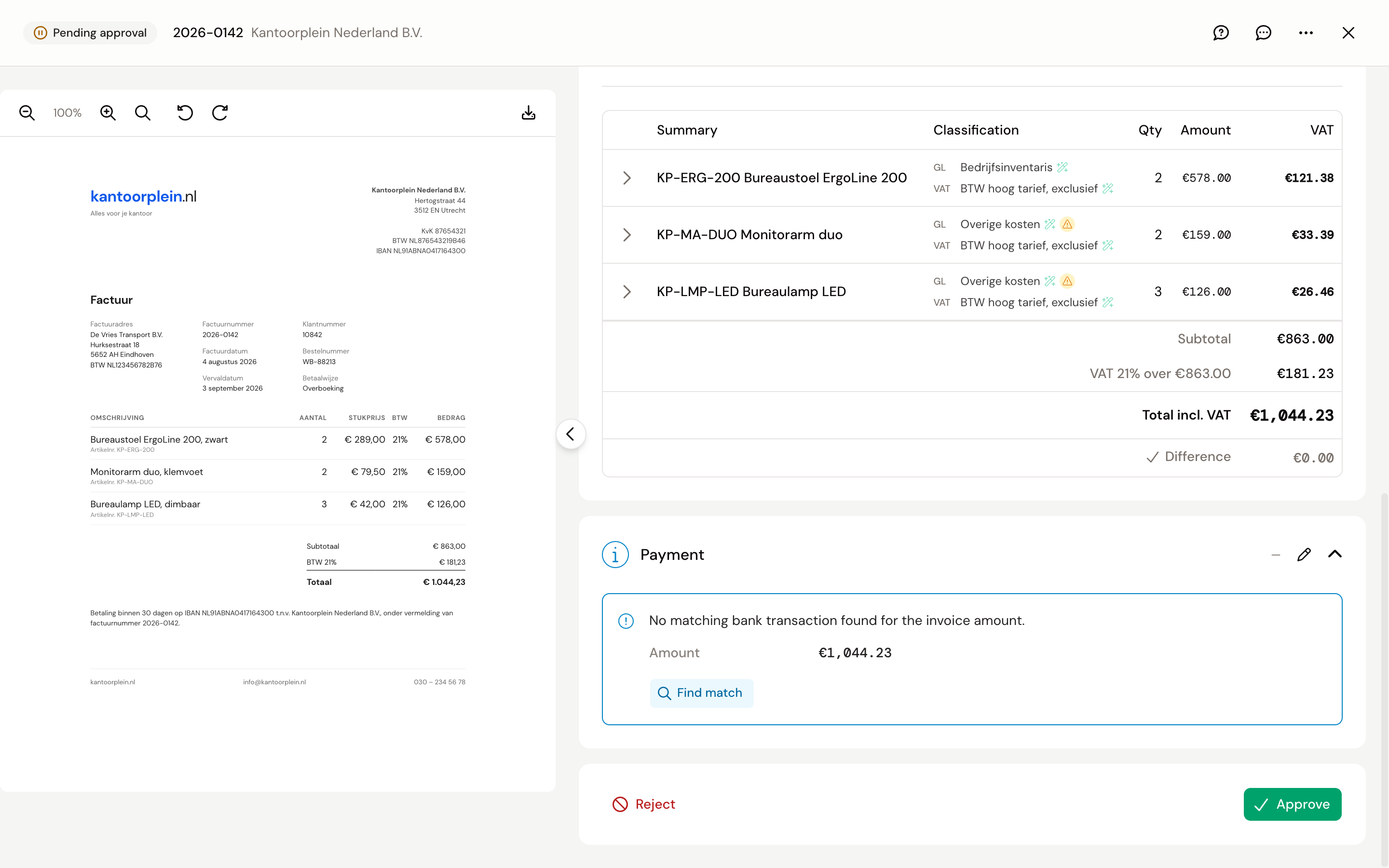
Picking a payment yourself
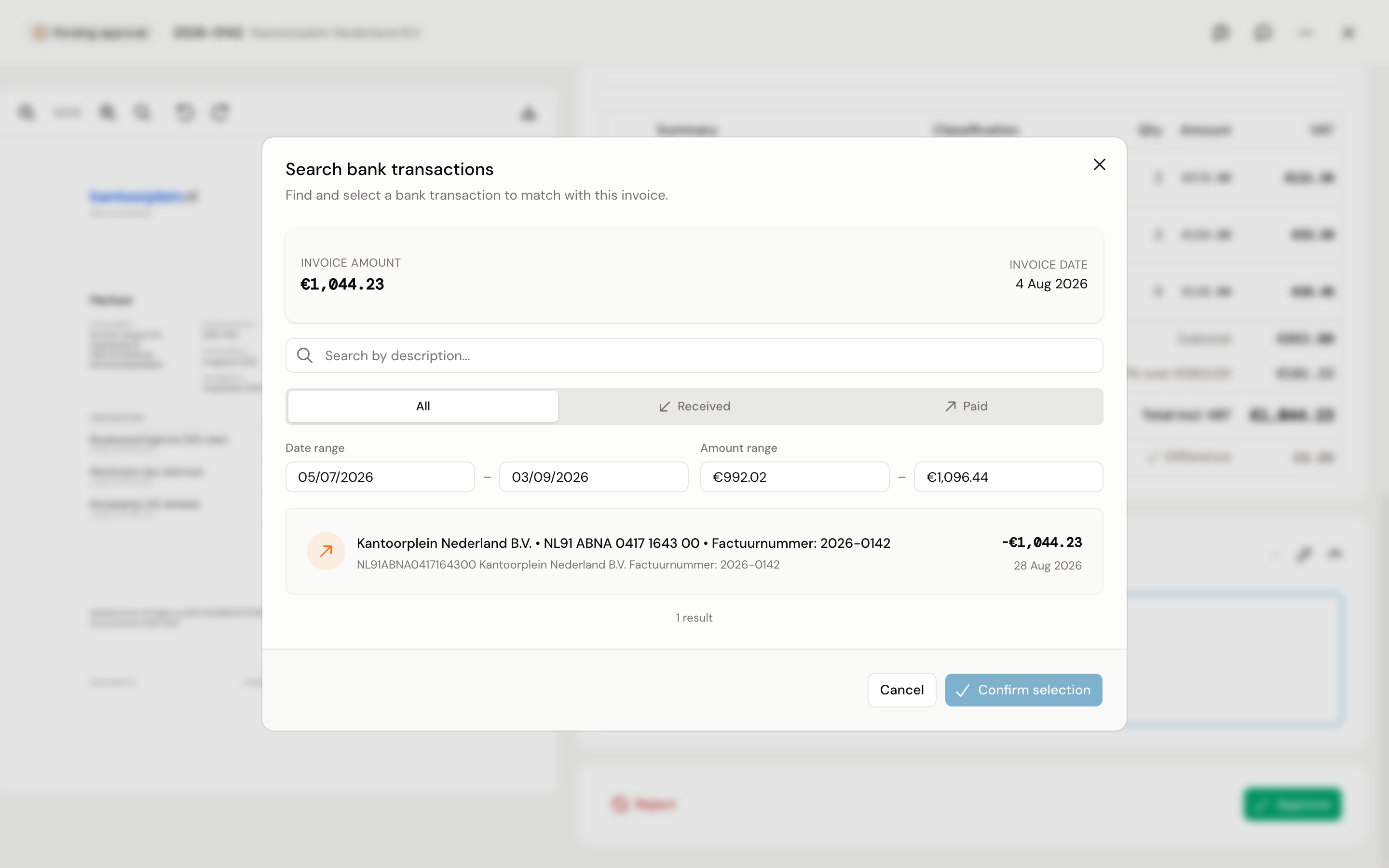
- Click Find match. The Search bank transactions dialog shows the invoice amount and invoice date at the top, and below them the bank transactions that come close.
- If the right one is not there, widen the Date range or the Amount range, search by description, or choose Paid or Received to see only debits or credits.
- Click the bank transaction and then Confirm selection.
The Payment section then shows Matched, with the bank transaction and the date you confirmed it. Picked the wrong one? Click Remove match and choose again.
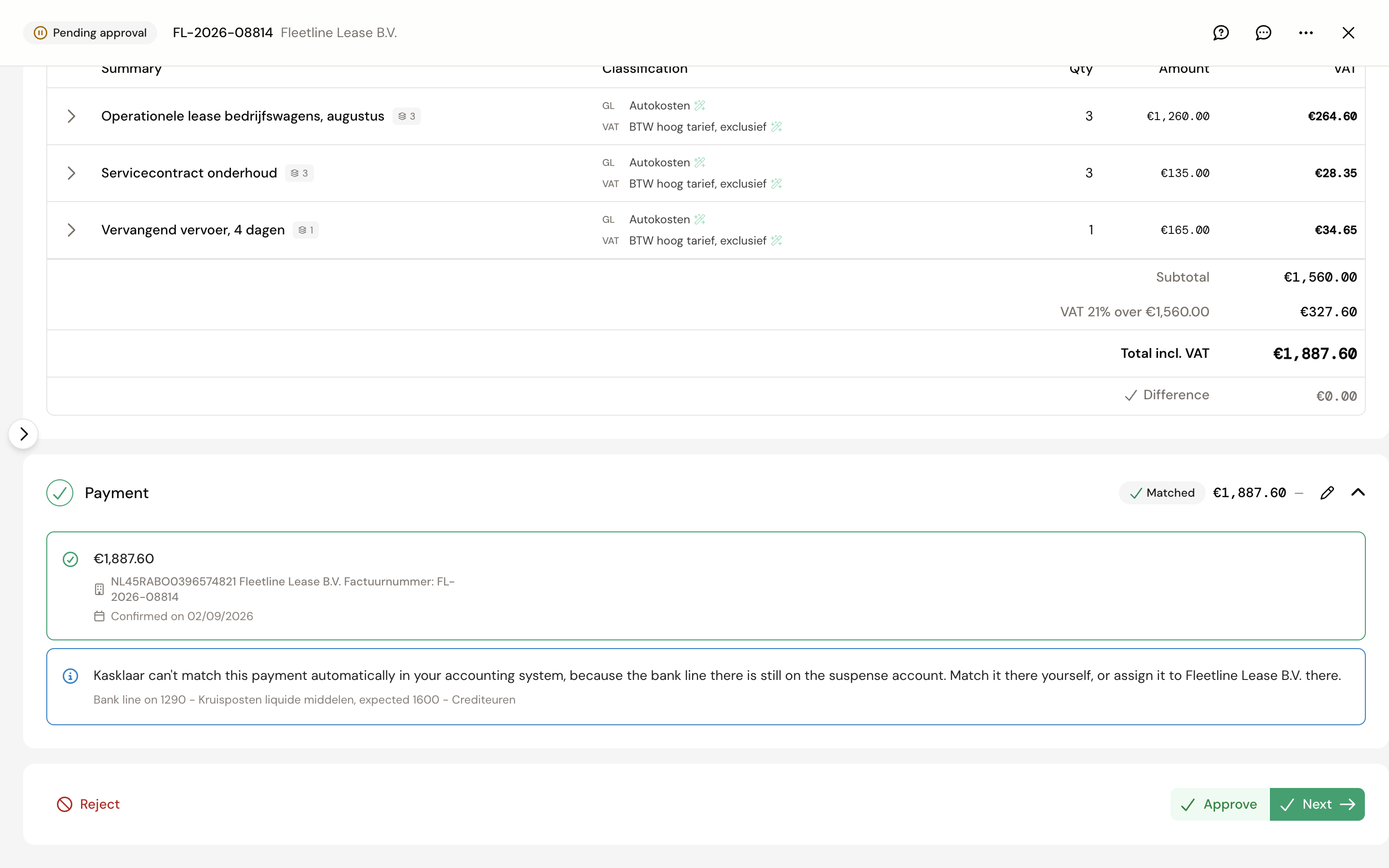
Reconciling still happens in your accounting package
The link in Kasklaar is for your own overview: you see on the invoice that it has been paid. The line does stay under Bank to-dos until the reconciliation has been done. The reconciliation itself, tying the bank line and the invoice together in your accounting package, is not something Kasklaar does yet. After approval the invoice is an open item in Exact Online, and the bank line is under Afschriften, Af te handelen. Reconcile it there the way you are used to; Kasklaar keeps the link afterwards.
If the bank line in Exact is already on the creditor account with the same supplier, which is usually the case, Kasklaar reconciles it itself when you approve and shows Ready for auto-reconciliation under Payment. If the line is still on a suspense account in Exact, Kasklaar tells you what to do: assign the line to the supplier in Exact or reconcile it there. The account codes are shown in small type underneath.
Frequently asked questions
The payment is older than ten days before the invoice date. Then your agents do not propose it. Widen the Date range in the dialog; every bank transaction can be chosen.
The invoice was paid in two parts. Link the first payment; the notice that the payment does not cover the invoice stays until the rest is linked too. The remainder of a bank transaction that has been partly reconciled stays under Bank to-dos.
Do I still have to reconcile in Exact? Yes, for now. Kasklaar makes sure invoice and payment belong together; the reconciliation in Exact is yours to do, see above.
The invoice is in dollars and the payment in euros. See Invoices in a foreign currency; Kasklaar applies the rate of the payment.