Assigning tasks and creating your own
Give a task to a colleague or your accountant, and create a task yourself for something Kasklaar does not spot on its own
A task always has a side that has to pick it up: your company or your accountancy firm. Within that side you can give it to a person. And for everything Kasklaar does not signal itself, such as a policy that has to be sent, you create a task yourself.
Who gets a task
A task Kasklaar creates lands with your company, or with your accountancy firm if that manages the administration. It is not anyone's personally yet: everyone on that side sees it under Your company and can pick it up. Whoever clicks I'm on it gets it under Yours.
Assigning a task
Open the task, click the three-dot menu and choose Assign to…. You see the people at your company and, if you work with an accountant, those at the firm. Pick a name, or Anyone at my company to open the task up to everyone again. With Assign to me you take it yourself; the same menu lets you let go of it again.
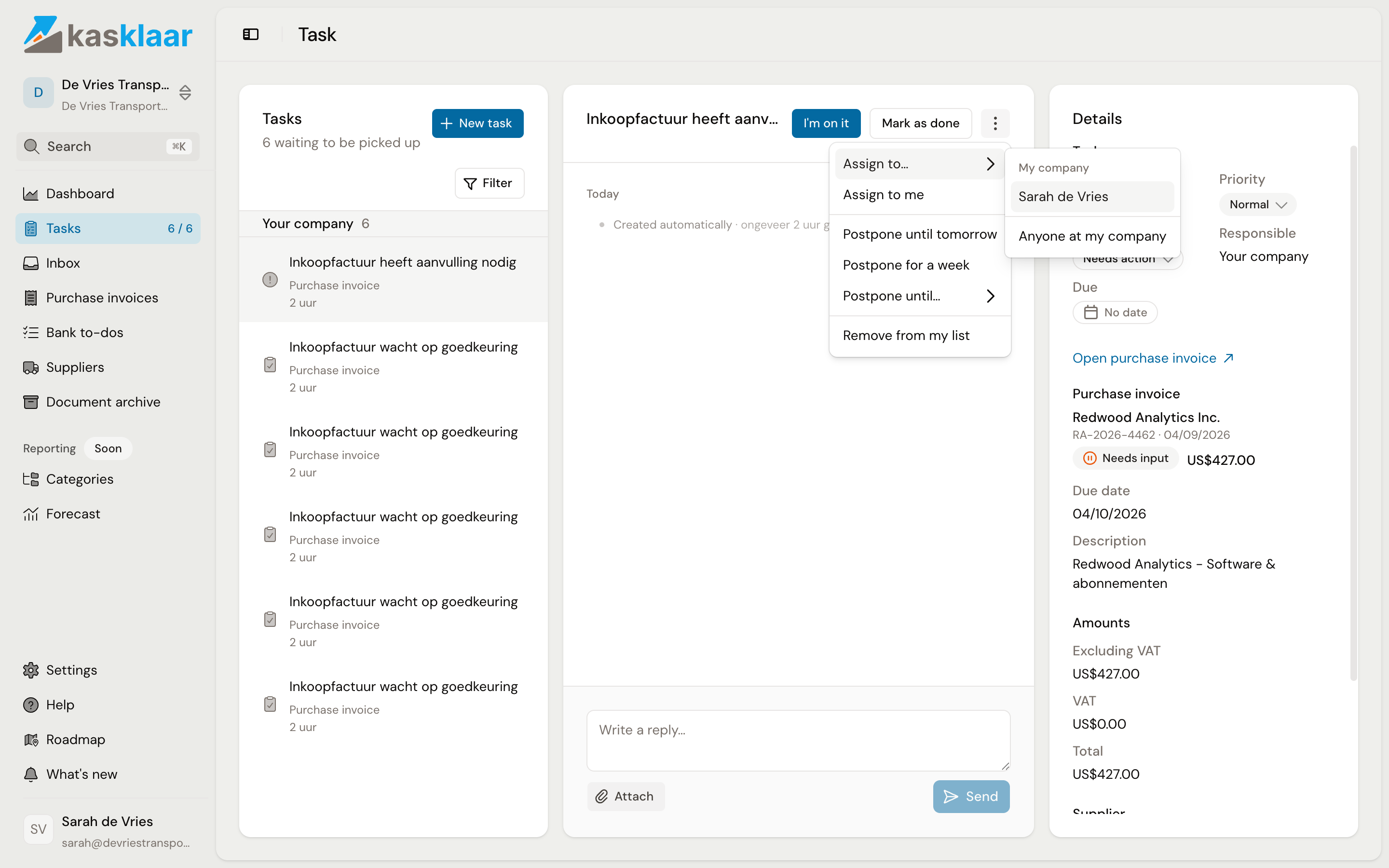
Kasklaar does not send an email when assigning. The colleague sees the task under Yours, in the counter in the sidebar and by the bold title. Put something in the conversation on the task if you want to add an explanation.
Creating a task yourself
Click New task. Everyone on the administration sees the task; whoever it is for gets it in their list.
- Title: what needs to happen.
- Who is this for?: someone at your company, your accountant, or yourself.
- Type: Needs action, Question, Review, Deadline or General. The type sets the icon and is a filter, nothing more.
- Priority: Low, Normal, High or Urgent. High and Urgent sit at the top of the list.
- Due: a date, for information only; there is no reminder.
- Message: the question or the details, with Attach for a file.
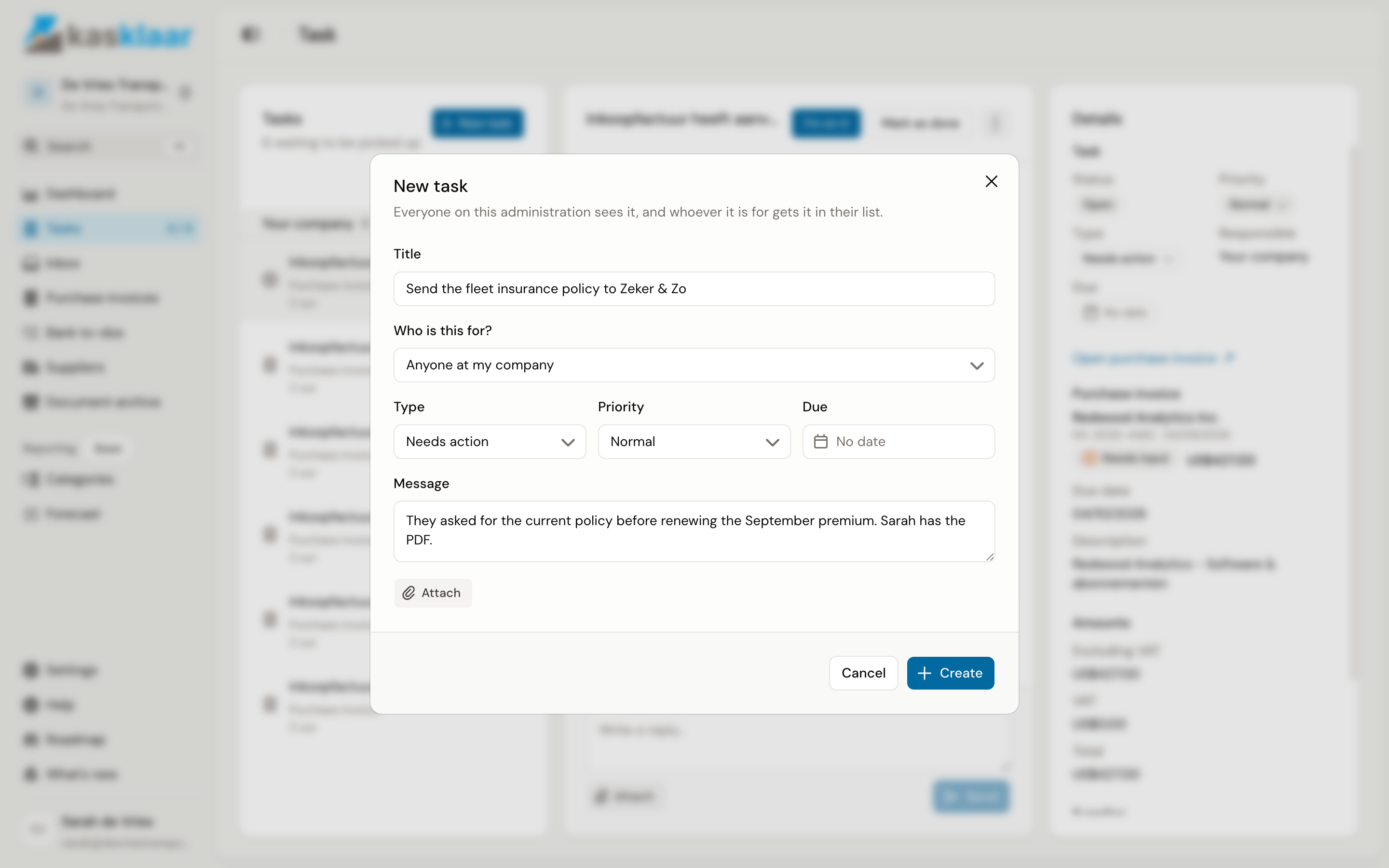
Click Create. A task you create yourself is not marked done automatically; whoever handles it clicks Mark as done.
Asking a question from an invoice or document
If your question is about one purchase invoice or Inbox document, open it and click the question mark at the top right, Ask about this. The same dialog opens, with the type Question already chosen and the document linked, so whoever picks up the task sees the invoice next to it. See Working with your accountant.
Frequently asked questions
Can I ask my accountant a question? Yes. Create a task with type Question and choose your accountant under Who is this for. The answer arrives in the conversation on the task; the filter Only questions I asked finds them back.
I do not see tasks from other administrations. Tasks belong to an administration. If you work for several administrations, All clients shows one list with everything, with the client's name on each task.
See also
- Picking up a task
- Inviting colleagues is done under Settings, Company, Team.