Enable Peppol e-invoicing
Register your administration on the Peppol network and receive e-invoices without uploading them
Through Peppol, suppliers send their e-invoice straight into your administration in Kasklaar. You no longer have to upload or forward anything. You register your administration once; Kasklaar reviews the registration and puts you on the network.
Where to find it
Open Settings, Administration, Peppol e-invoicing.
Before you start
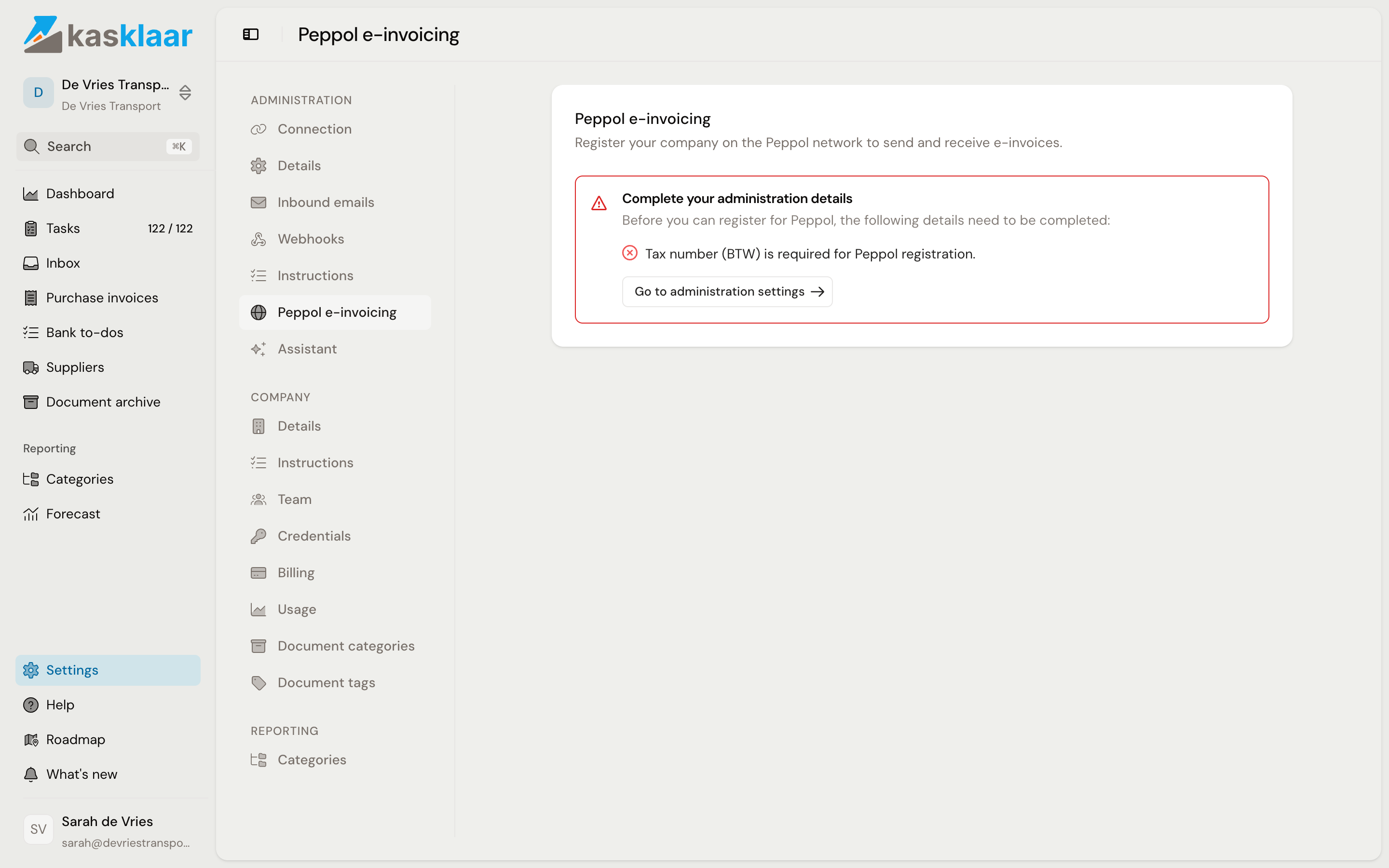
Your administration details have to be complete: the VAT number and the full address. If something is missing, a red notice at the top says so, with the button Go to administration settings. Complete it there and come back.
Keep a recent extract from the Chamber of Commerce (KvK) as a PDF at hand.
Registering
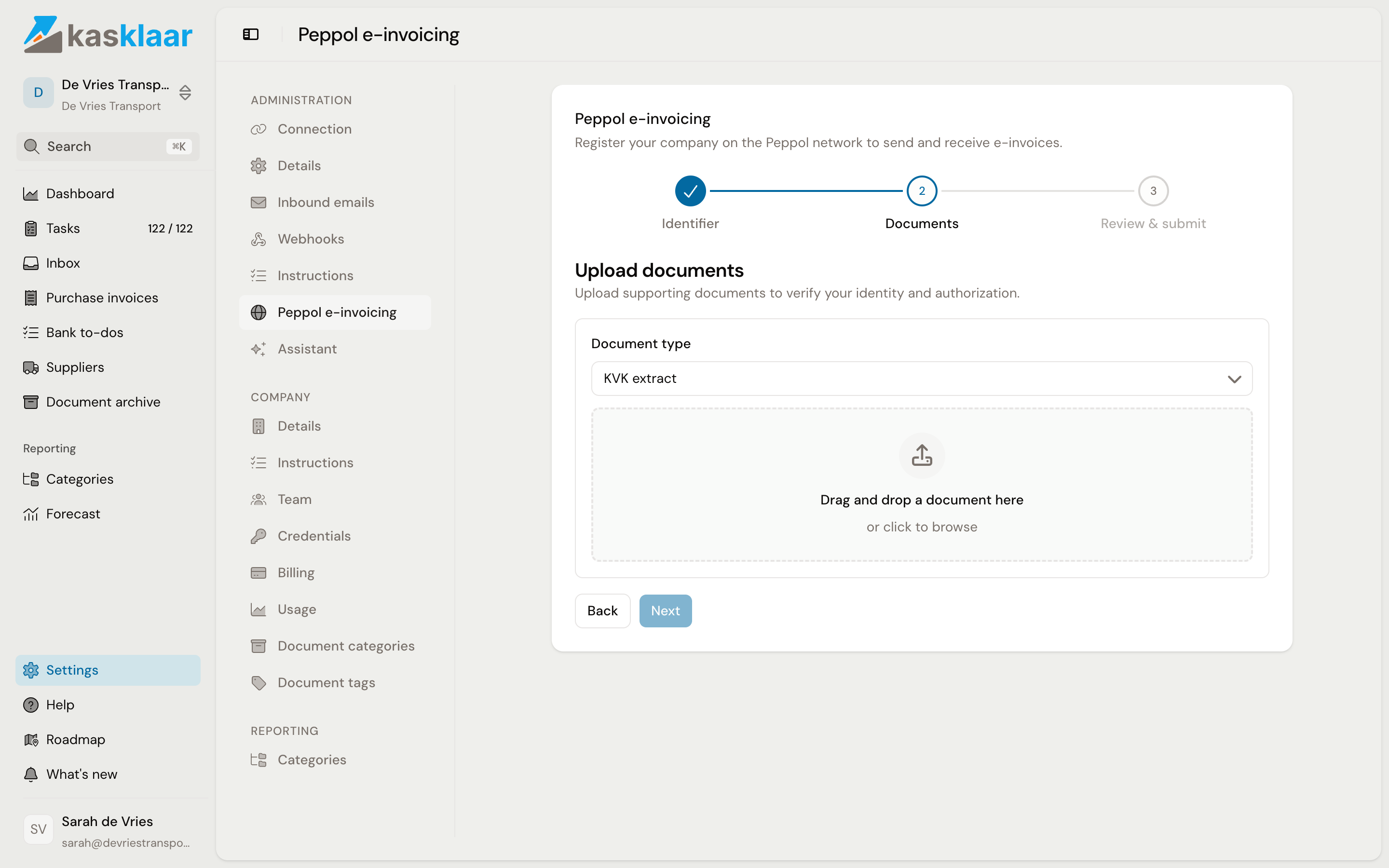
- Under Identifier, KvK-nummer is selected by default. Enter your KvK number and click Next.
- Under Documents, choose KVK extract as the Document type and drag the file into the box. PDF, JPG and PNG up to 20 MB. If you upload an identity document, make your citizen service number unreadable first. Click Next.
- Under Review & submit you see your details once more. Click Submit for review.
What happens next
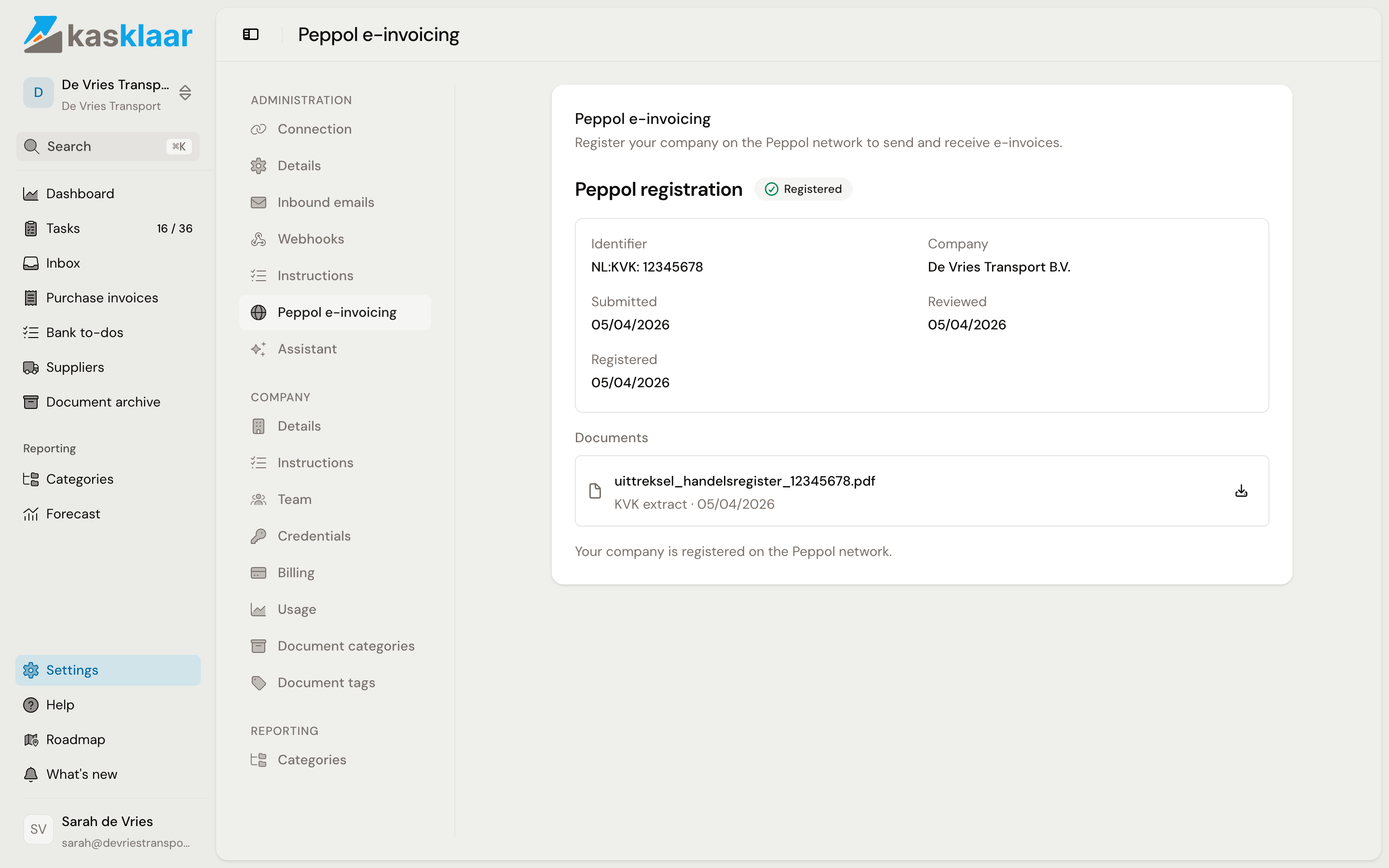
The status is on the same page, with the date of each step.
| Status | What it means |
|---|---|
| Submitted | Your registration is waiting for review by Kasklaar |
| Approved | Reviewed, Kasklaar is registering you on the network |
| Registered | Your administration is on the Peppol network |
| Active | Done. Suppliers can send e-invoices to you |
| Rejected | Something was missing. The reason is shown; upload new documents and submit again |
Once the status is Active, tell your suppliers they can invoice you through Peppol. An incoming e-invoice appears under Inbox, and from there your agents turn it into a purchase invoice, the same as an invoice by email.
Common questions
Can I also send e-invoices through Kasklaar? No. The registration is for receiving. You send your sales invoices from your own invoicing software.
How long does the review take? Kasklaar reviews registrations by hand. You see the status change on this page; there is nothing to do until it says Active or Rejected.
Who can register? Anyone with access to the administration.
See also
- Add a purchase invoice, for the other ways to get an invoice in.
- Connect Exact Online