Saving a document in the Document archive
Keep contracts, policies and other papers that are not invoices, and let your agents name, date and summarise them
The Document archive is the place for everything that is not an invoice but has to be kept: a lease, a policy, a Chamber of Commerce extract, a letter from the tax office. Your agents read each document, give it a name, a category and a date, and write a summary. After that you find it back with search and filters.
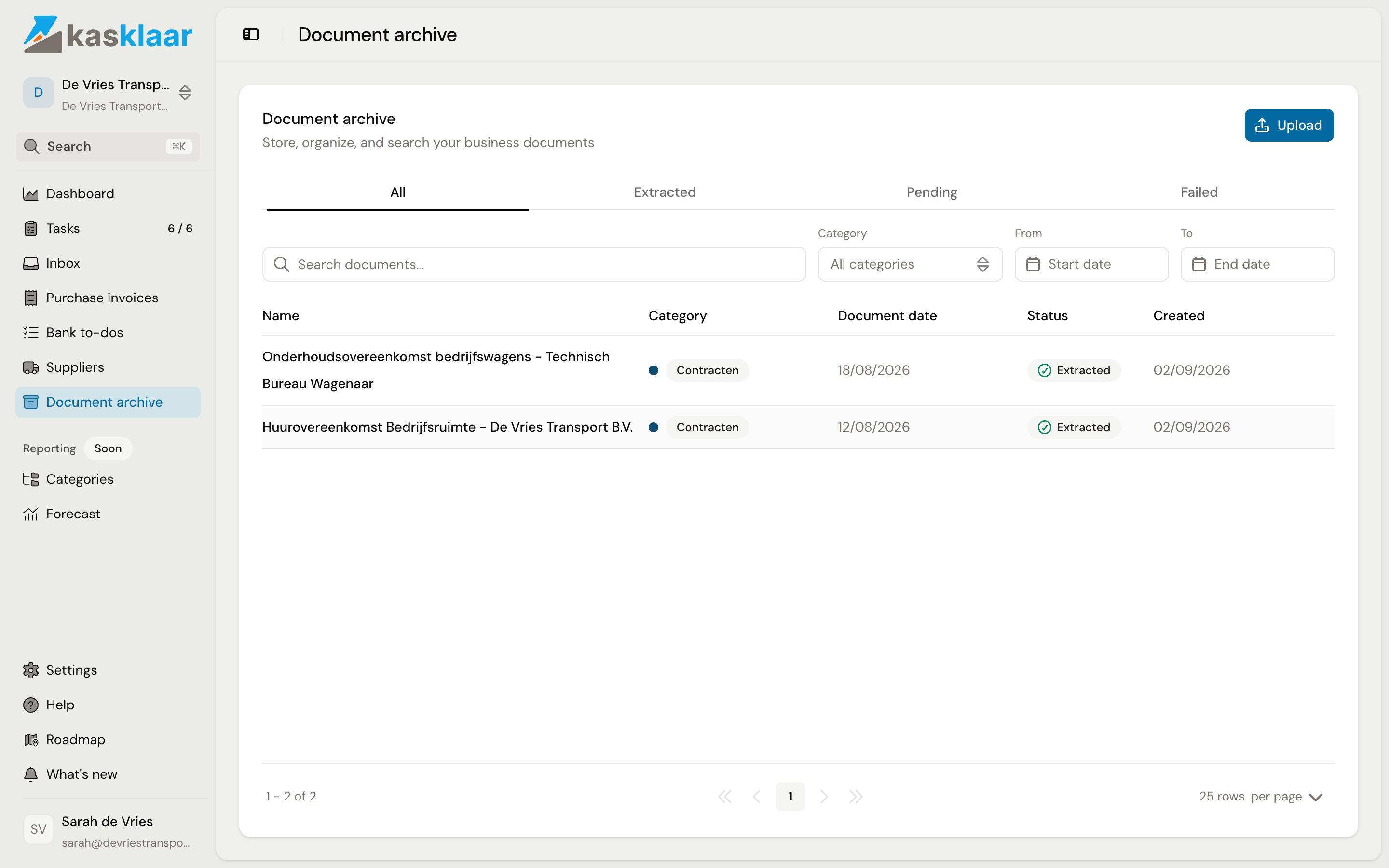
Where to find it
Open Document archive in the sidebar. The tabs show All, Extracted, Pending and Failed. For each document you see the Name, the Category, the Document date, the Status and when it was Created. Search by name with Search documents..., or filter by Category and by period with From and To.
Adding a document
There are two ways.
From the Inbox. Email the document to your Kasklaar address. Your agents recognise that it is not an invoice and propose Archive; click it and the document is in the archive. See Reviewing documents in the Inbox.
Upload. Click Upload, drag one or more files into the box or click to choose them. PDF, JPG, PNG, WebP, TIFF and HEIC, up to 50 MB per file. You do not fill in anything; your agents do the rest.
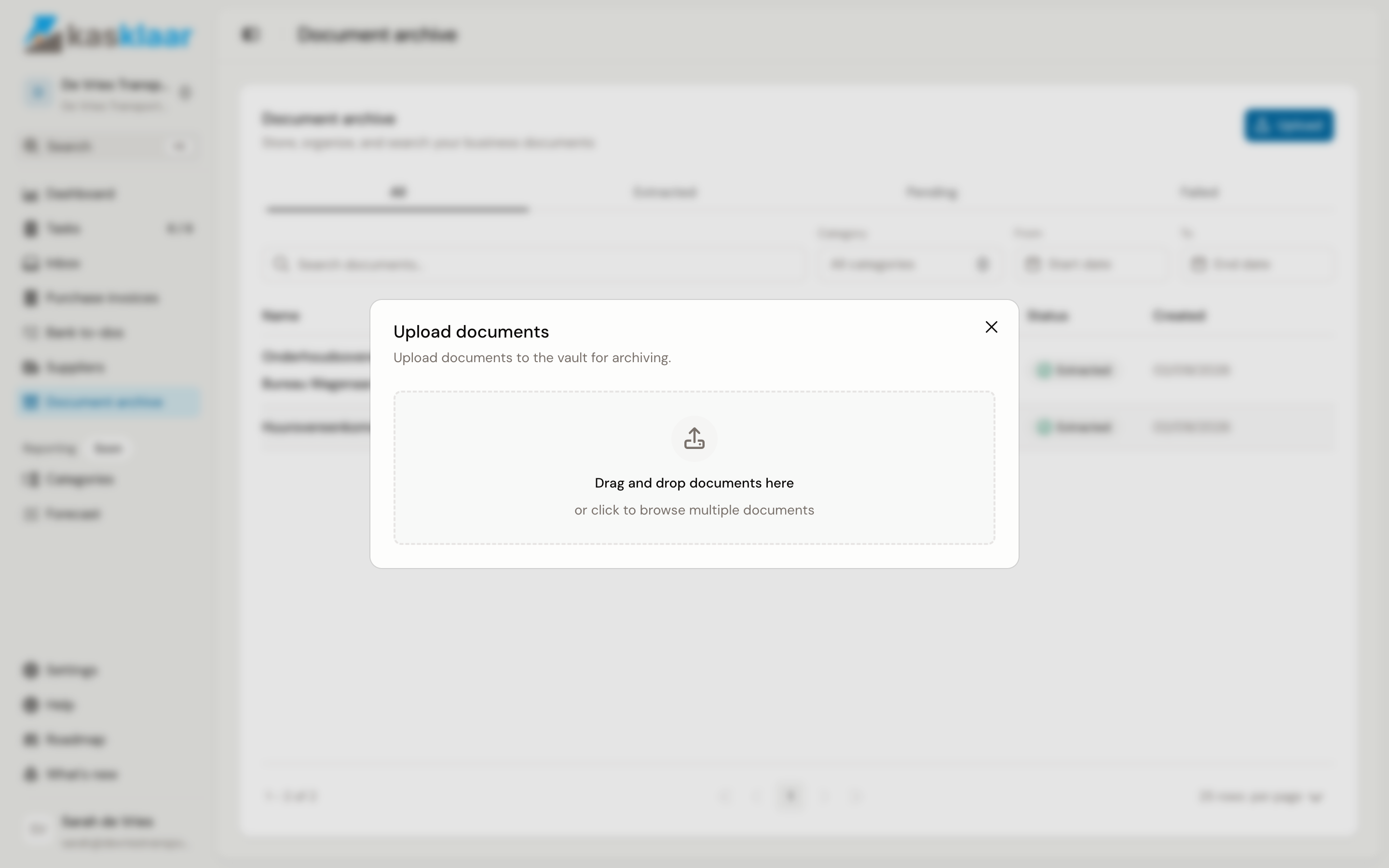
The document first sits under Pending; as soon as your agents are done, it is under Extracted.
What your agents extract
Open a document. The original is on the left, with the Text button for the extracted text. On the right, under Metadata, is what your agents read: the Name, the Category, the Document date, and, when they are on the document, the Issuer, the Recipient and the Reference number. For a contract there are also the Contract type, the Parties, the Start date and End date, the Renewal date, the Notice period and the Contract value; an insurance policy and a tax letter have their own fields. If your agents pick up more, such as a monthly rate, it is listed underneath. Below that are a Summary of a few sentences and Tags to search by.
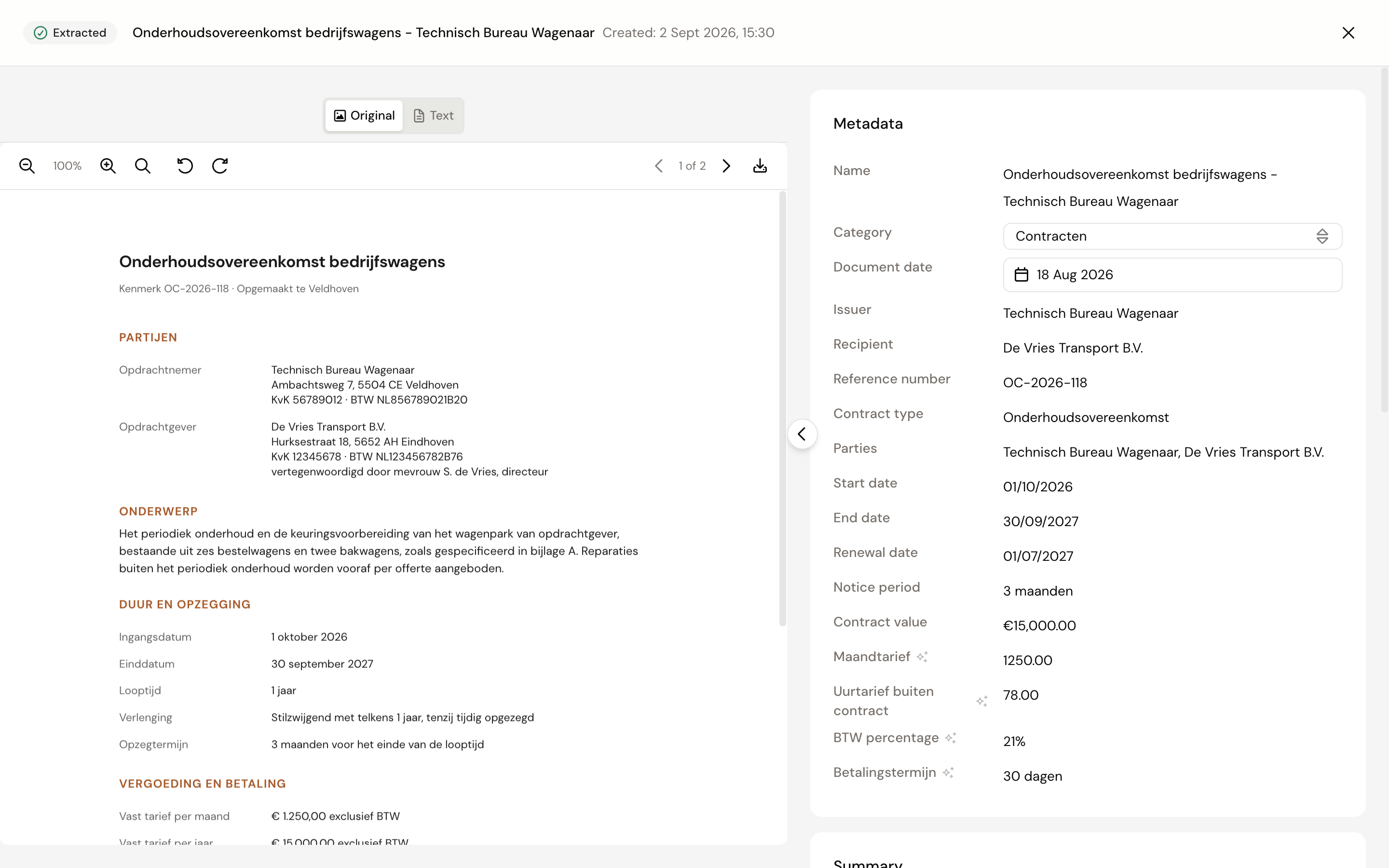
Name, category and document date can be changed: click the field, it is saved straight away. The other fields come from the document itself and cannot be changed. A category you choose yourself is not overwritten by your agents afterwards.
Sharing, downloading and deleting
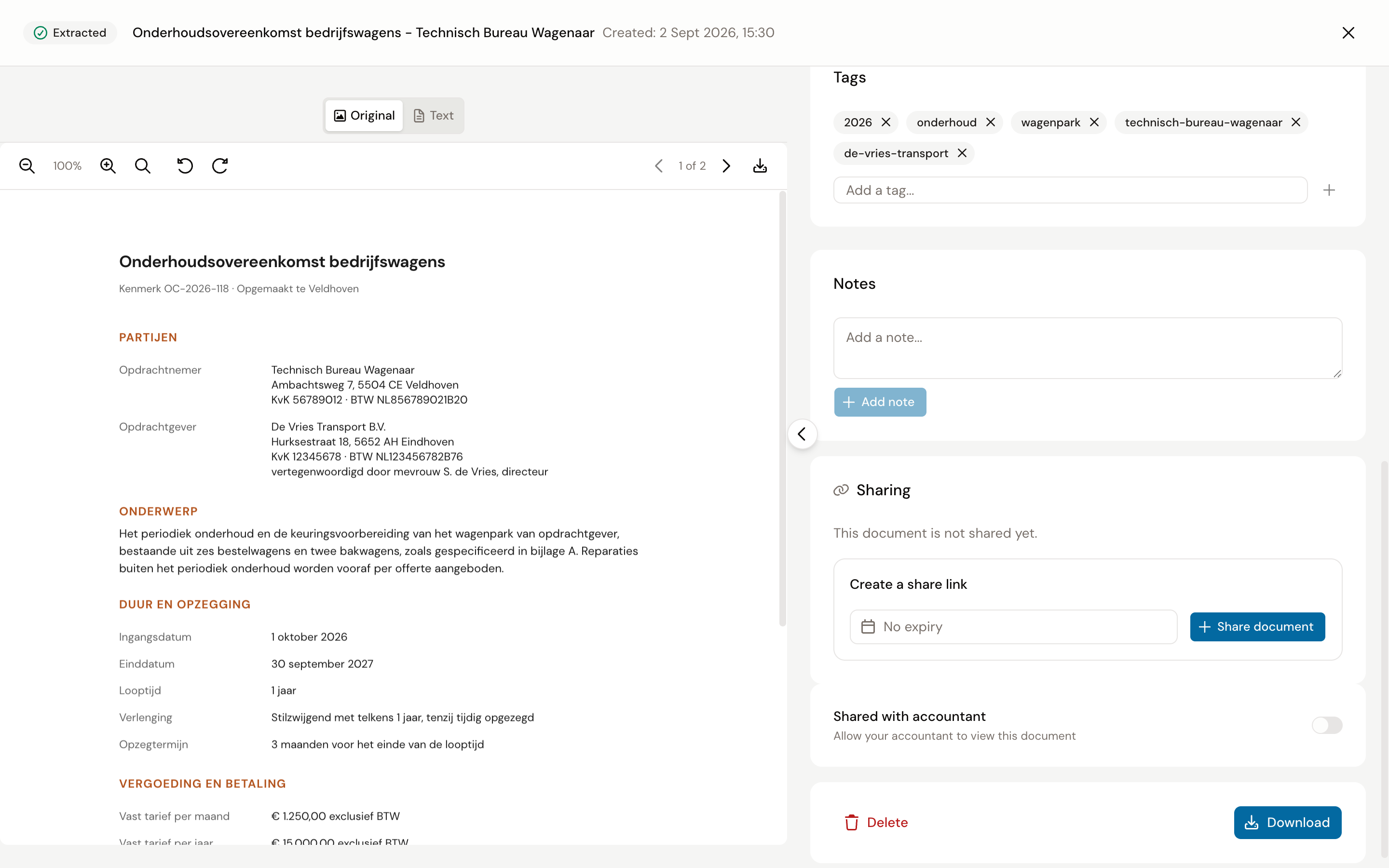
At the bottom of the document screen:
- Tags: add one with Add a tag... or remove one.
- Notes: your own remarks about the document.
- Sharing: Share document creates a link that lets someone without a Kasklaar account view the document, with an expiry date if you want. Shared with accountant gives your accountant access.
- Download fetches the original file. Delete asks for confirmation and cannot be undone.
Frequently asked questions
A document says Extraction failed. Your agents could not read the file, for example an empty scan. The file is kept: fill in the name, category and date yourself, or delete it and upload a better version.
Do I get a reminder when a contract ends? No. The end date and notice period are shown with the document, but Kasklaar does not turn them into a task or reminder yet. Put the date in your calendar.
Can I still process an archived document as an invoice? Not from the archive. Upload it again through Purchase invoices, Upload.
I see "This document is already in your vault". The Inbox has found the same file in the archive already. Look at the other one and dismiss the new one if it really is the same.