Bank to-dos: payments without an invoice
Every bank transaction from your accounting package that has no invoice yet sits under Bank to-dos until you upload one or dismiss the line
Under Bank to-dos you find every bank transaction from your accounting package for which Kasklaar has no purchase invoice yet. In Exact Online these are the lines under Afschriften with the status Af te handelen. In one list you see where a receipt or invoice is still missing, and which debits you can close without one.
Where to find it
Open Bank to-dos in the sidebar. At the top are the number of Open transactions and the Total amount. Each line shows an arrow for the direction, the Description with the counterparty, the invoice number if it was in the description and the IBAN, and the Amount with the date. Search by description or name with Search transactions...; tick Show dismissed to see the lines you dismissed as well.
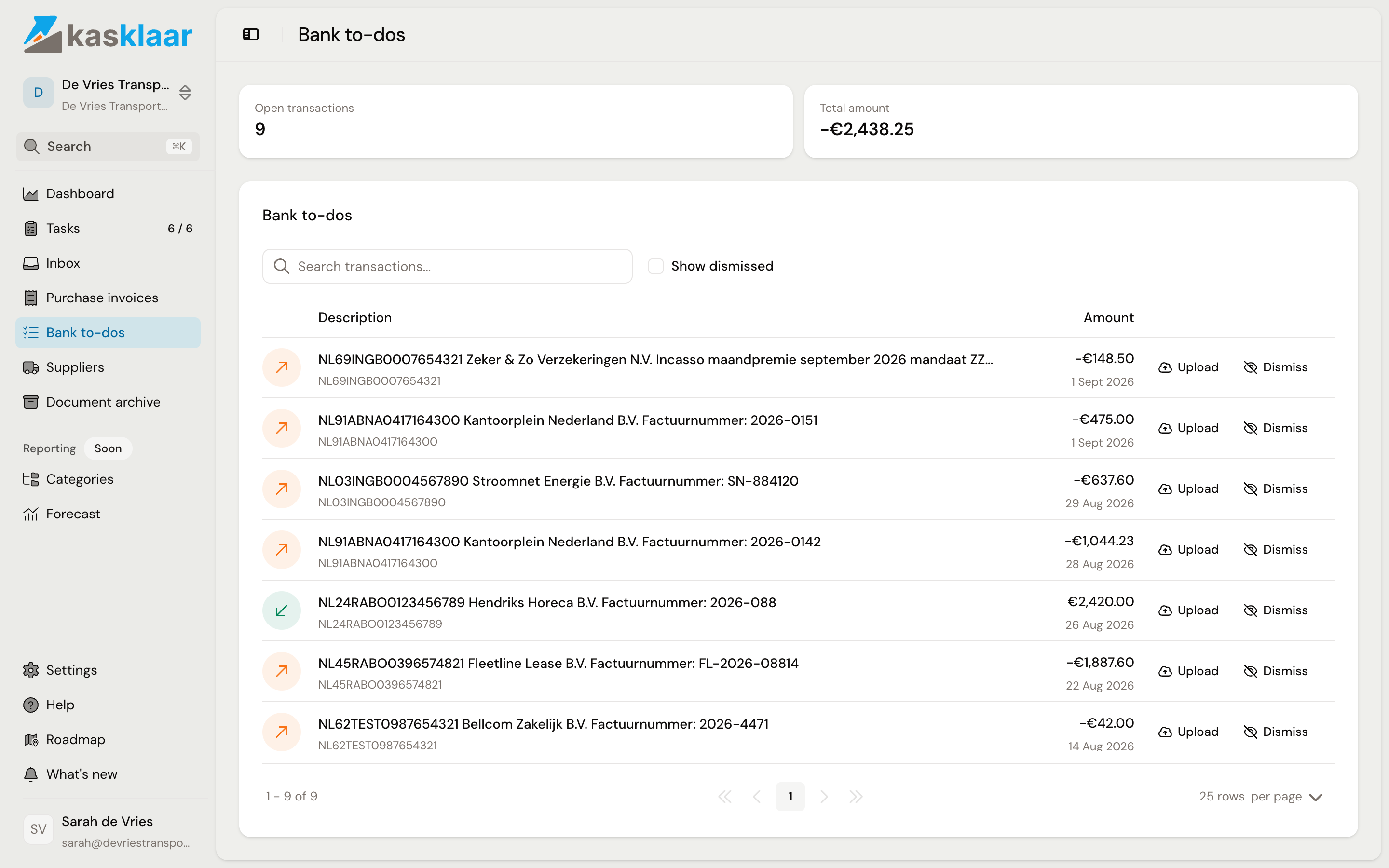
The lines come from your accounting package every hour, together with the other data under Settings, Administration, Connection, Data synchronization. A bank line that has already been reconciled in Exact does not appear here. A line disappears once it has been reconciled in Exact, or once you dismiss it. Linking a payment to an invoice in Kasklaar does not remove it from the list yet; that happens after reconciliation, see Linking a payment to a purchase invoice. Incoming payments are listed too, with a green arrow.
Uploading an invoice for a payment
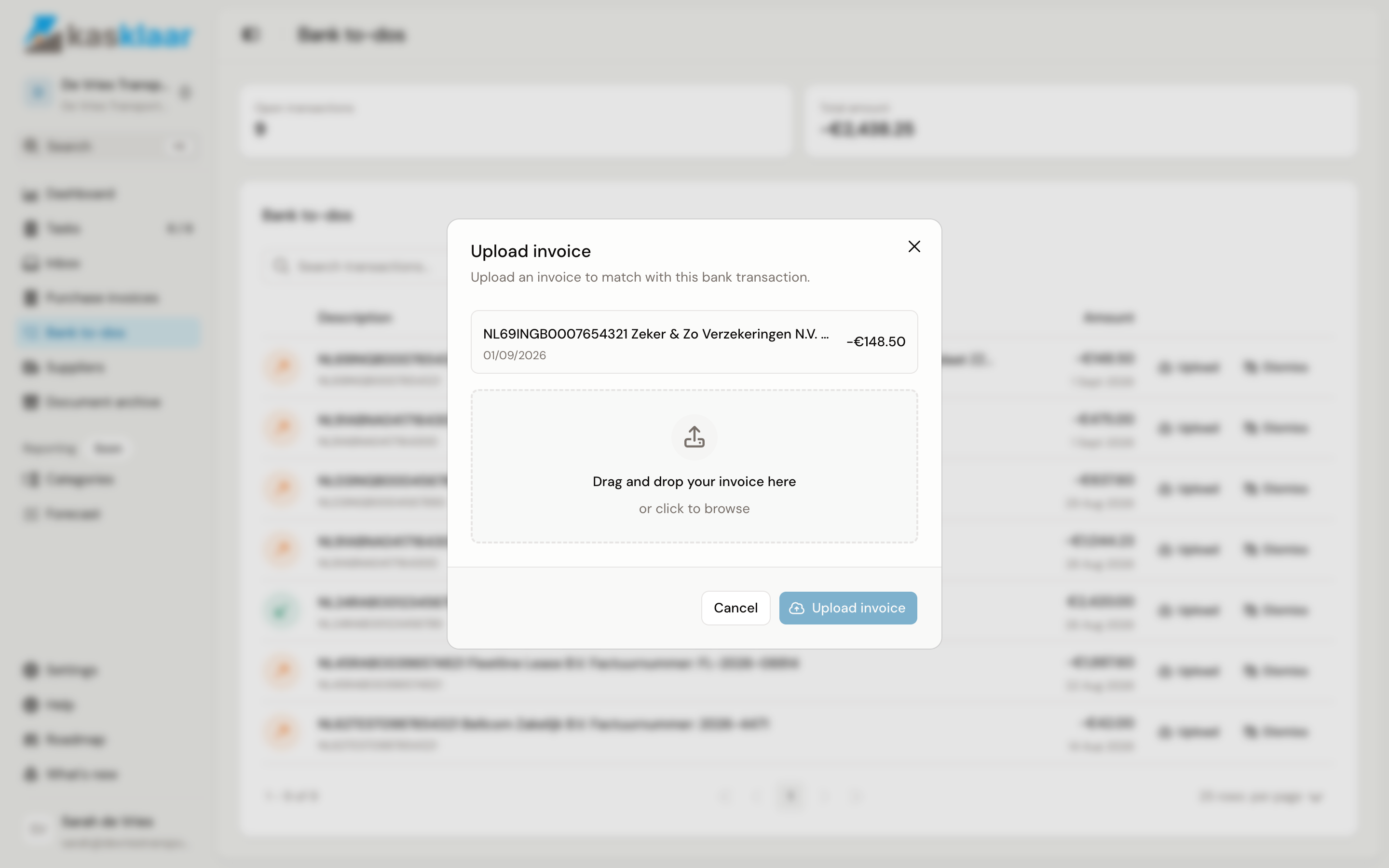
If there is a debit for which you have the invoice but had not sent it in yet, click Upload behind the line. Drag the invoice into the box or click to browse, PDF, photo or scan up to 10 MB, and click Upload invoice. The invoice arrives under Purchase invoices with this payment already linked to it. The line stays under Bank to-dos until you have reconciled it in Exact.
Dismissing a line
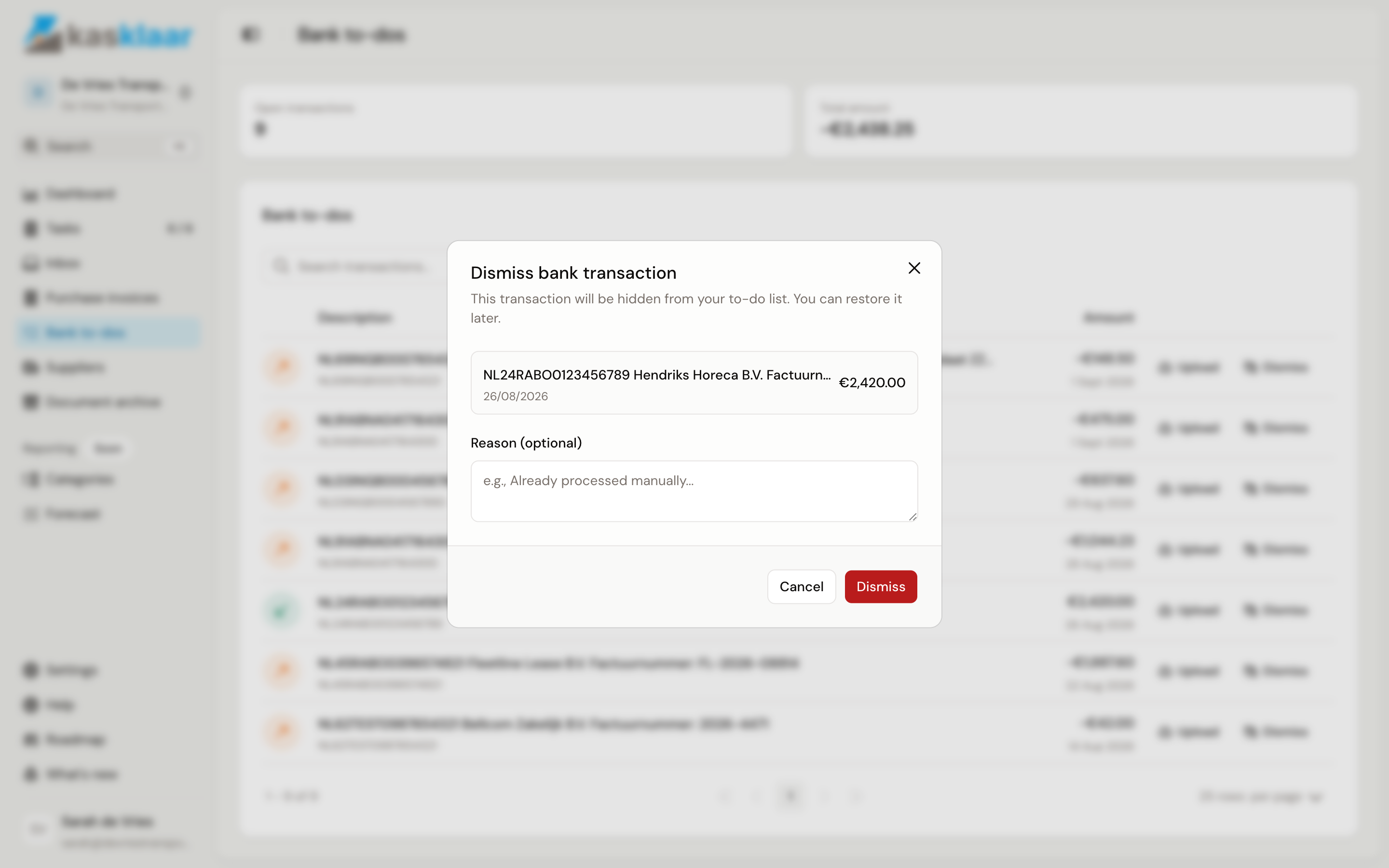
If no invoice belongs to it, such as a private withdrawal, bank charges, a transfer between your own accounts or a payment from a customer, click Dismiss. In the Dismiss bank transaction dialog you can note under Reason why, for example "bank charges" or "already processed manually". Nothing is booked; the line only leaves the list.
Tick Show dismissed to see dismissed lines again, with the badge Dismissed and the button Restore.
Frequently asked questions
Can I link an existing invoice from this list? Not here. Open the invoice under Purchase invoices and link the payment in the Payment section; see Linking a payment to a purchase invoice.
There is a payment for an invoice that is already in Kasklaar. Then the link has not been made yet, usually because the payment came in after the invoice. Open the invoice and click Find match under Payment.
I see customer payments too. Kasklaar shows every bank transaction that has not been reconciled, incoming ones included. Dismiss them with the reason "sales"; sales invoices are booked in your accounting package.
There is a duplicate line. Dismiss one of the two with a reason; Kasklaar does not merge bank transactions.