Suggestions from your agents
Your agents spot patterns in how you book and propose them as instructions
With every approval, your agents look at what you chose. When they see a pattern, they propose it as an instruction. Accept the suggestion, and from then on they book similar invoices the same way.
Where to find them
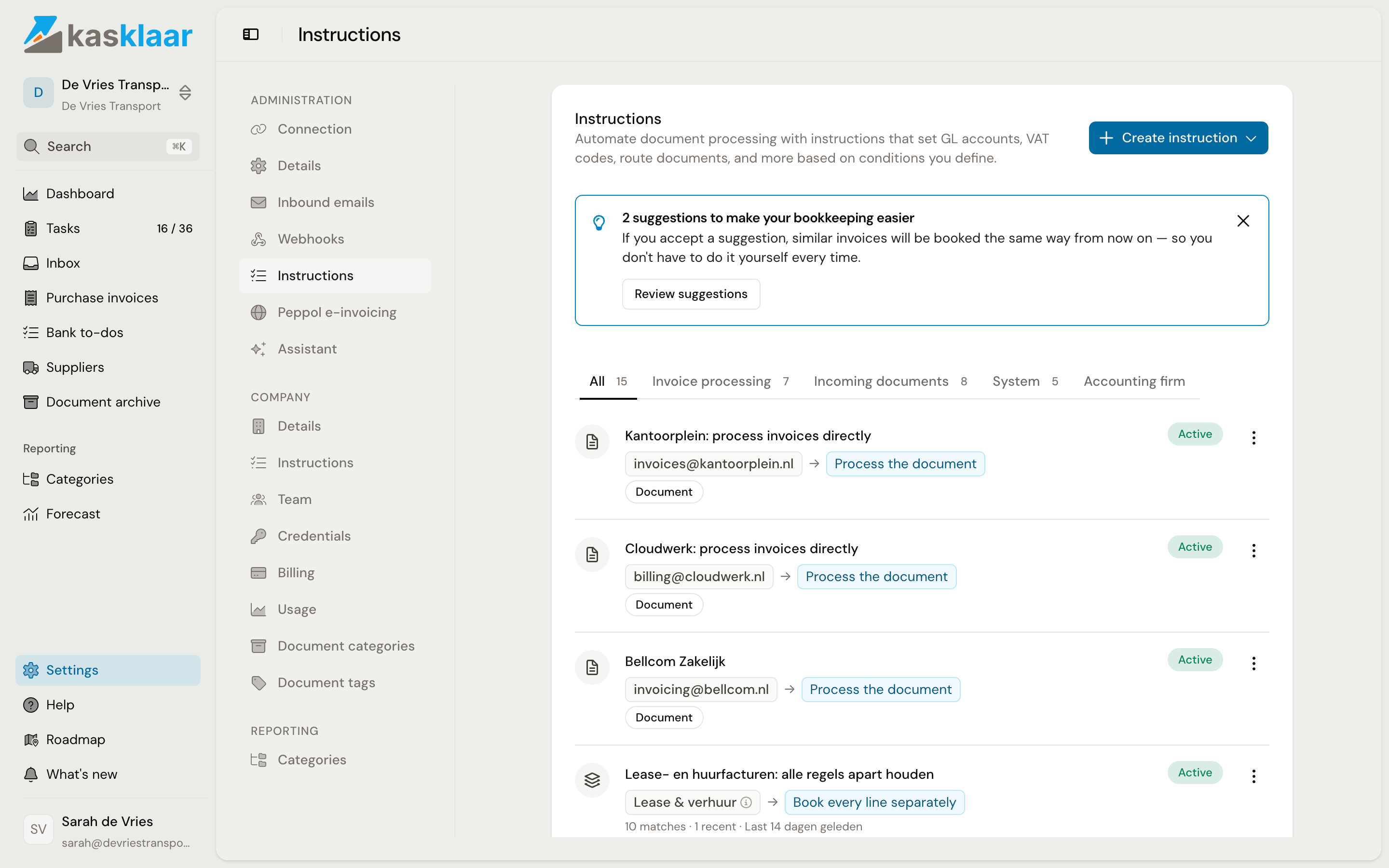
If you approve an invoice while suggestions are waiting, once per session you see the notice "Your agents have 3 suggestions ready for you" with the Review button. It takes you to Settings, Administration, Instructions. There, a bar above the list says "3 suggestions to make your bookkeeping easier", with the Review suggestions button.
Reviewing a suggestion
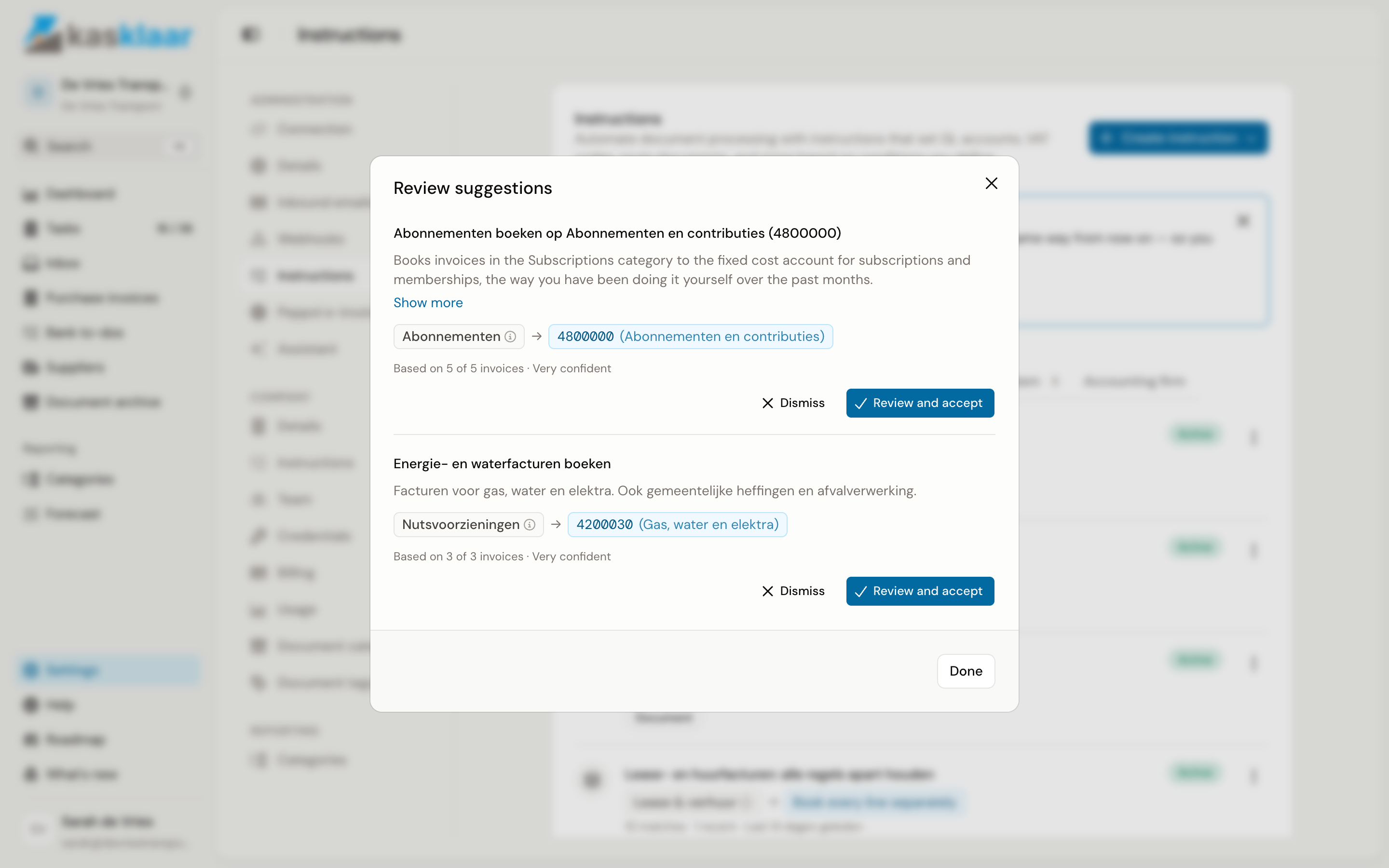
Click Review suggestions. For each suggestion you see the name, a description, the conditions and actions, and what it is based on: "Based on 4 of 5 invoices", with Very confident, Fairly confident or Not sure next to it.
- Click Review and accept. If it says Review and complete, a choice is still missing that your agents could not make themselves, for example which GL account.
- Check the values and adjust them if needed.
- Click Accept suggestion.
The instruction is then in your list straight away and active. Editing or switching it off later works like any instruction, see Instructions.
Dismissing a suggestion
Click Dismiss and give a reason if you like. The suggestion disappears and your agents do not propose this pattern again. You can always create an instruction with the same content yourself later.
When you get a suggestion
One correction is not a pattern. Your agents only make a proposal once you have made the same choice on a number of invoices from several suppliers; twenty corrections at one supplier do not produce a suggestion. And a choice you made yourself weighs more than a proposal you left as it was. So suggestions do not come after every invoice, but in waves: after the approval that completes a pattern, the suggestion is in the bar within a few minutes.
A new administration has suggestions waiting straight away. Those are Kasklaar's default suggestions for Dutch businesses, for example to keep all lines separate on telecom, rent and software invoices. You review them the same way.