Create an account and connect Exact Online
Create your account, connect Exact Online and check the settings Kasklaar proposes for your administration
Kasklaar starts with an account and a connection to Exact Online. You fill in three short screens, log in to Exact once, and Kasklaar fetches your administrations and proposes the bookkeeping settings. Then you land on your dashboard.
Creating an account
Go to app.kasklaar.nl/register?lang=en.
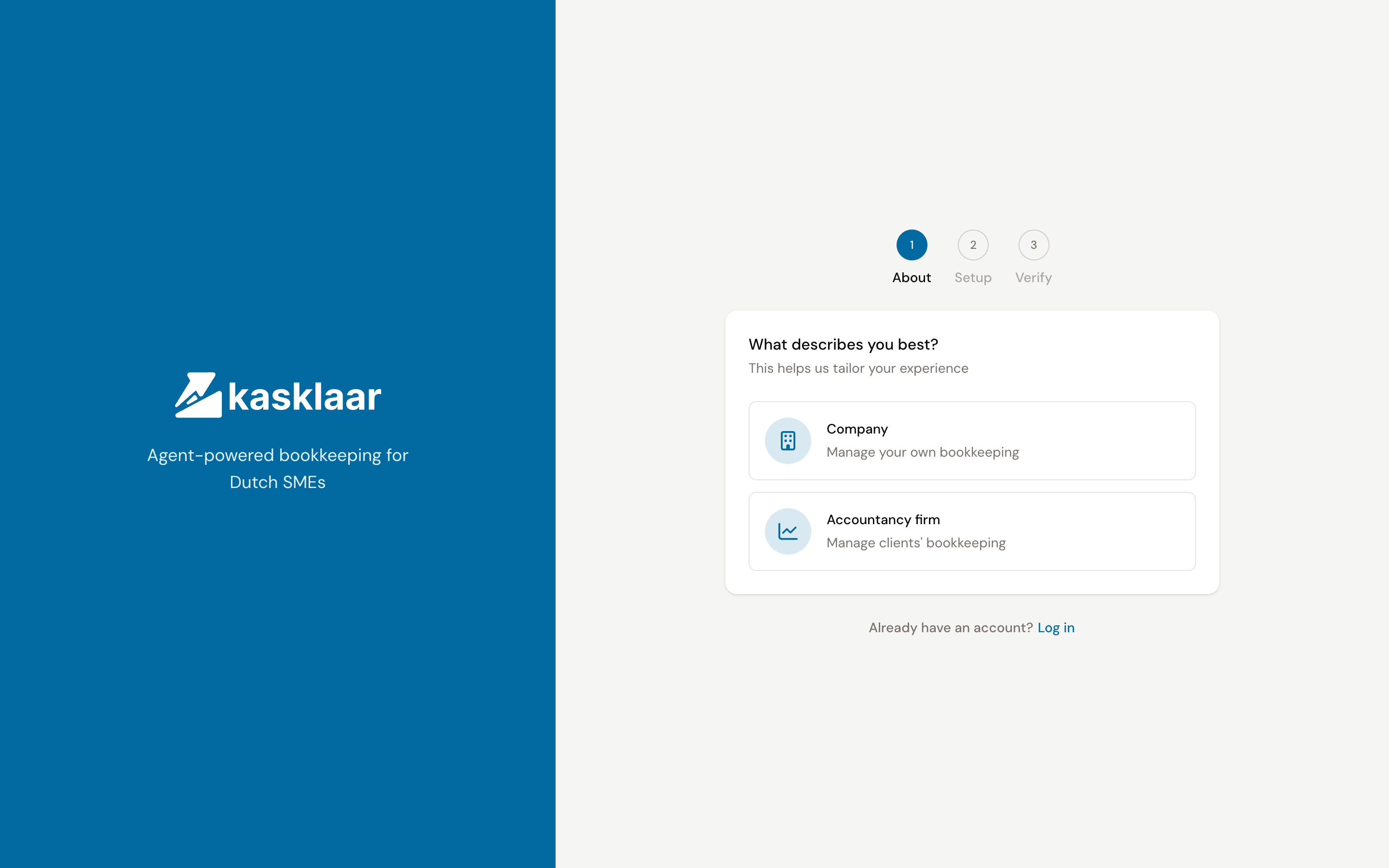
- Choose Company if you do your own bookkeeping, or Accountancy firm if you do the bookkeeping for clients.
- Fill in your name and choose your Language, Region and Timezone. Click Continue.
- Fill in your Company name and address. For a Dutch postal code and house number, Kasklaar completes the street and city.
- Fill in your email address and a password and click Create account.
- Type the six-digit code from the email you receive. As soon as the code matches, you are logged in.
Connecting Exact Online
Right after logging in, the wizard starts with five steps: Connect, Select, Configure, Import and Done.
- Click Connect to Exact Online. You go to the Exact login page; log in there and give Kasklaar access.
- Back in Kasklaar it says Connected to Exact Online. Click Next.
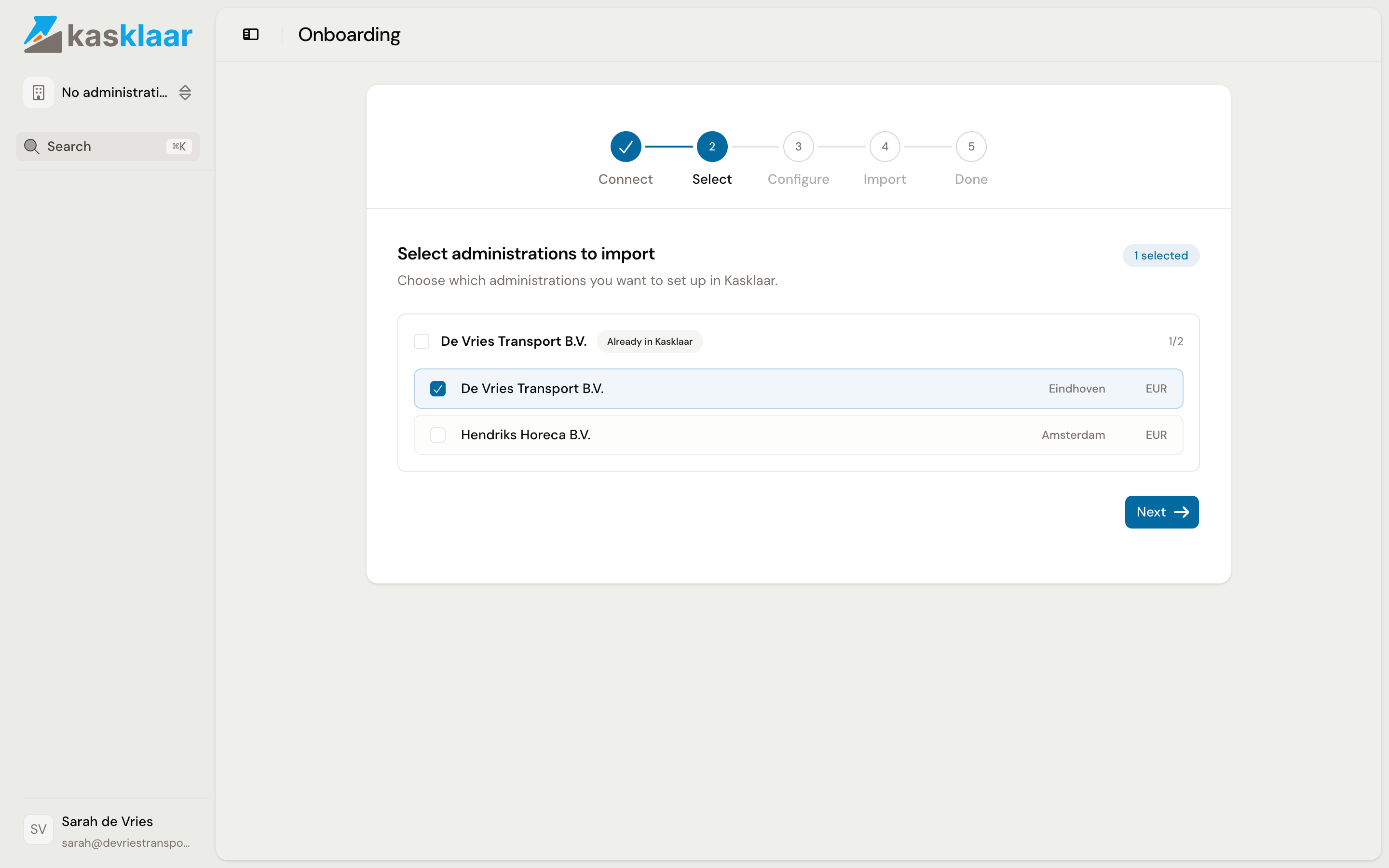
- Kasklaar fetches the administrations from your Exact account. Tick the ones you want to use in Kasklaar and click Next. The company you entered during registration is at the top; the administrations go underneath it.
Checking the settings
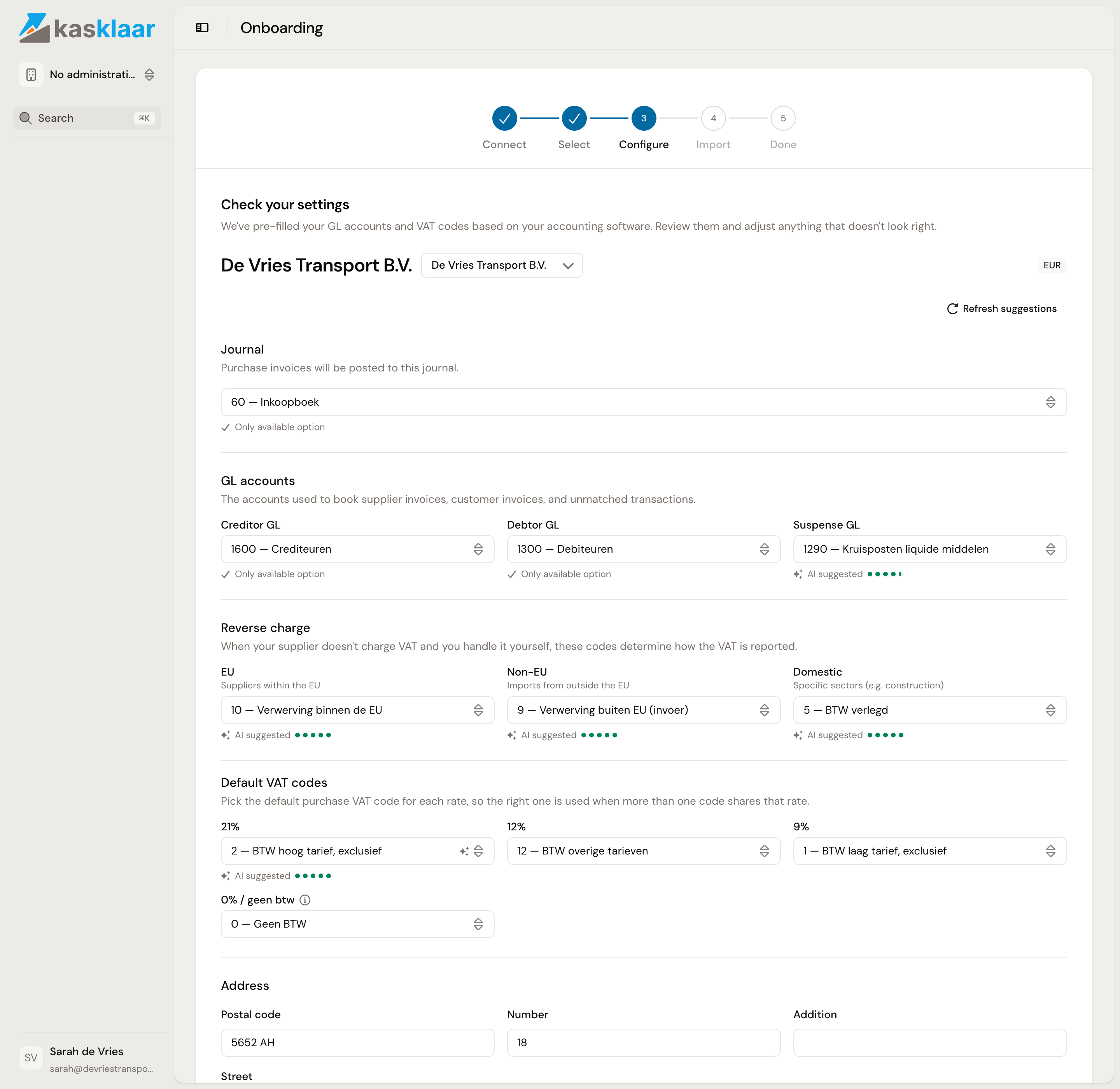
Under Check your settings you see, per administration, what Kasklaar read from Exact and what it proposes. Next to each field it says where the value comes from: Only available option, AI suggested with a confidence in dots, or set by you.
- Journal: the purchase journal in which purchase invoices are posted.
- GL accounts: the creditor, debtor and suspense account.
- Reverse charge: the VAT codes for suppliers within the EU, outside the EU and for domestic reverse charge, such as in construction.
- Default VAT codes: per rate, the purchase code Kasklaar uses when several codes share the same rate. Fill in what you use; 12% does not exist in the Netherlands and can stay empty.
- Address: the address of the administration, taken from Exact.
If something is wrong, pick another value from the list. If in doubt, leave the AI suggestion; you can change everything later under Settings, Administration, Connection. Click Validate & create.
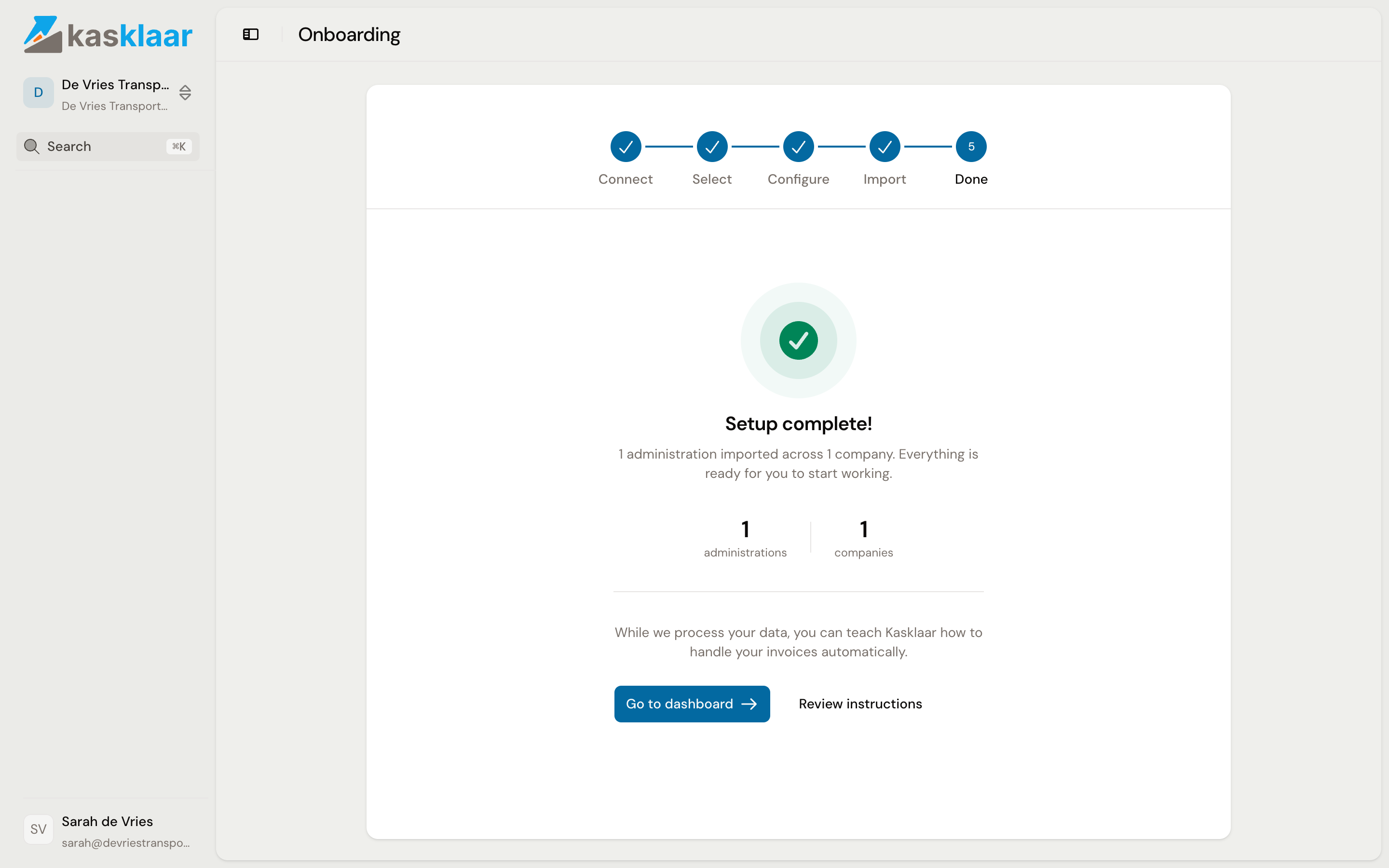
Importing takes a few seconds. Then it says Setup complete! with the number of administrations and companies. Click Go to dashboard, or Review instructions if you want to set straight away how your agents book; see Instructions.
Frequently asked questions
Can I use Kasklaar in Dutch? Yes. Choose Dutch under Language during registration; the screens switch as soon as you are logged in. Later you change the language through your account, at the bottom left of the sidebar.
My administration is not in the list. Kasklaar shows every administration the Exact account you connected has access to. If one is missing, log in to Exact with the account that does see that administration, or ask the administrator of your Exact environment for access.
Can I add an administration later? Yes. Open the company menu at the top left and choose Add administration. You then choose whether to import from Exact or create an administration without a connection.
I do not work with Exact Online. At the moment Exact Online is the only accounting package you can connect.
See also
- Your first day: the checklist
- Connect Exact Online, for a connection that expires or needs redoing.