Document categories and tags
Organise your archive with categories, let your agents extract extra details per category, and use tags to find documents back
Every document in the archive has one category and as many tags as you like. The category decides which extra details your agents read from a document; tags are loose keywords to search by. Your agents choose both themselves, and you can change both.
Where to find it
Open Settings, Company, Document categories or Document tags. They apply to all administrations of your company.
Categories
Kasklaar starts with seven categories: Bankafschriften, Bedrijfsdocumenten, Belasting, Contracten, Jaarstukken, Verzekeringen and Overig. Each category has a Document type, such as Contract, Insurance or Tax letter; that is how your agents recognise what kind of paper it is.
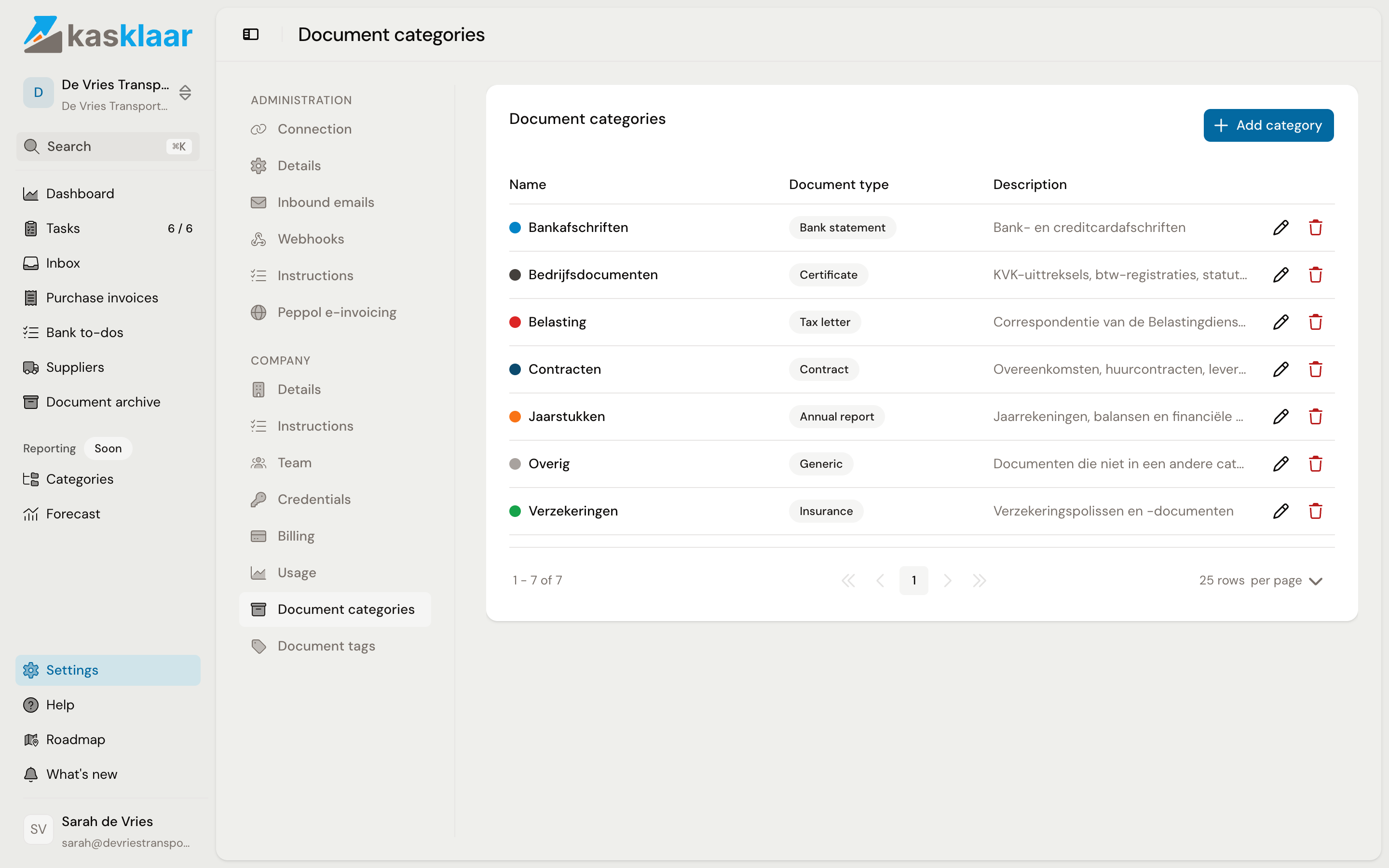
When a document comes in, your agents pick the category that fits best. If you chose a category on the document screen yourself, it stays. You can edit the seven default categories but not delete them.
Adding your own category
Click Add category. Give it a Name and a Color, choose the Document type that comes closest, and write a Description; it helps your agents recognise documents that belong in this category.
Under Custom fields you specify which extra details your agents should take from these documents. For each field you choose a name, a type (Text, Integer, Decimal, Date or Yes/No) and a description. A category Inspection reports with the fields Licence plate and Valid until yields those two values for every inspection report, under Metadata on the document screen.
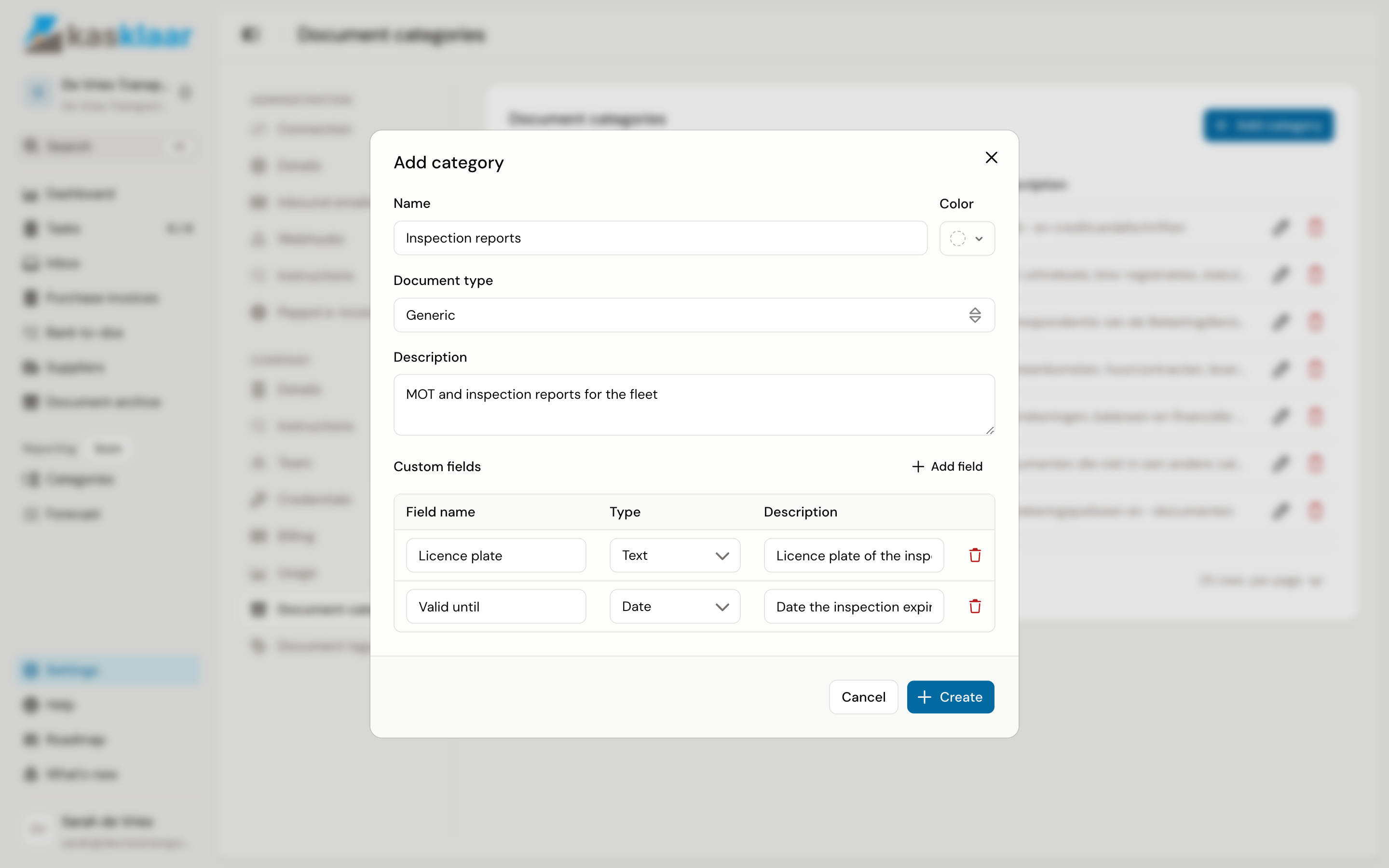
Click Create. If you delete one of your own categories later, the documents remain but without a category.
Tags
Tags are short keywords in lower case, such as wagenpark or huurovereenkomst. Your agents give every document a few and prefer tags that already exist. Under Document tags you see them all; with Add tag you create one yourself, with a name and a colour, and with the bin icon you remove one.
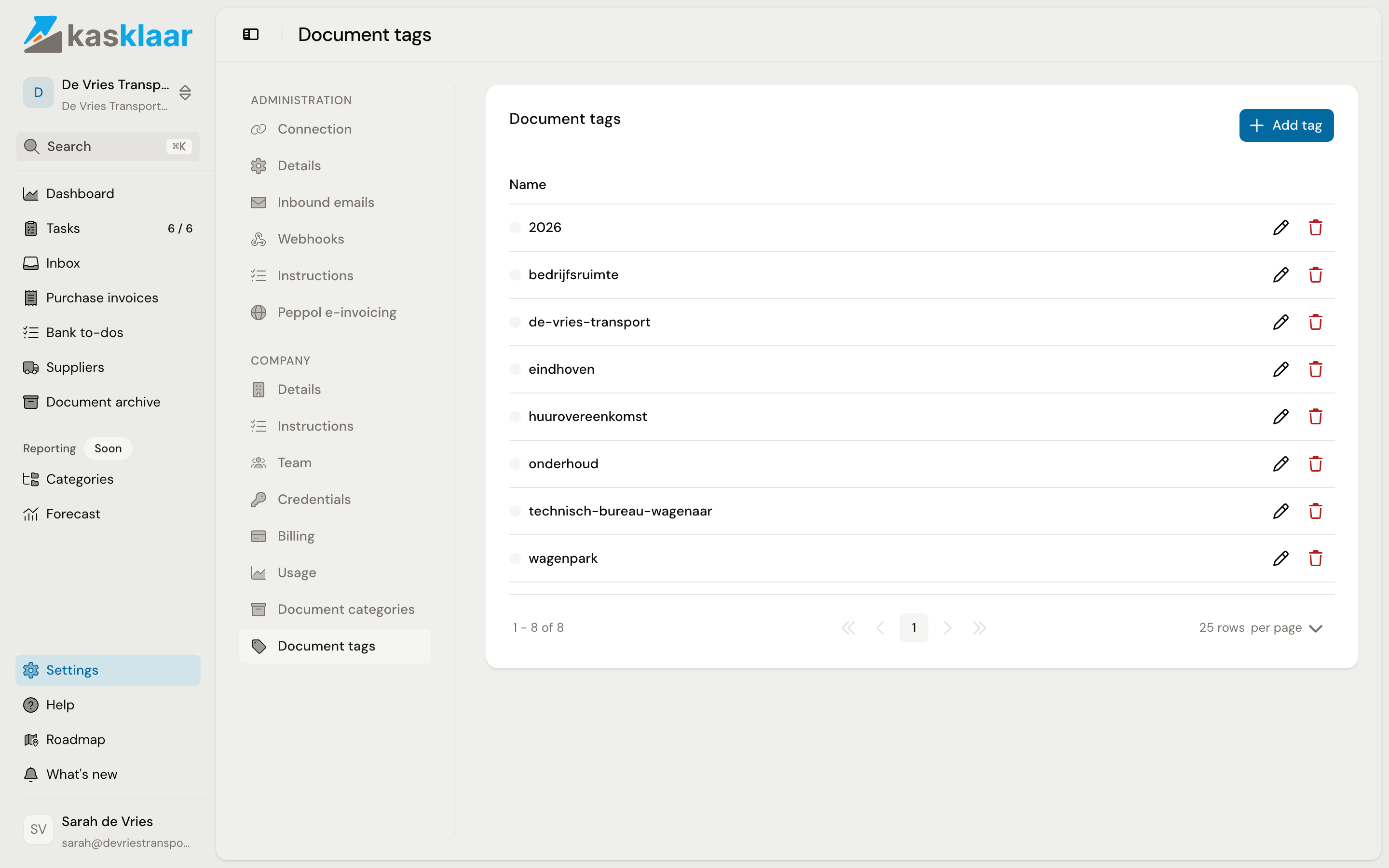
On the document screen you add a tag with Add a tag... and remove one with the cross.
Frequently asked questions
Can a document be in two categories? No, one category. Use tags when a document belongs to several topics.
My agents keep picking the wrong category. Change the Description of the category so it is clearer what belongs in it, and set the right category on the documents themselves. A category you choose is not overwritten again.
Why is the type not on the document? The type belongs to the category, not to the document. If you want a different type, choose a different category.